AIToday

Figma adds code layers, animations, and AI-powered custom plug-ins to its design platform, letting teams collaborate on ideas without worrying about production-ready code.

TechCrunch AI1d ago5 min read
Figma adds code layers, animations, and AI-powered custom plug-ins to its design platform, letting teams collaborate on ideas without worrying about production-ready code.

Key takeaway

Figma has added code layers, native animation and 3D transform support, and AI-powered custom plug-in creation to its design platform. This eliminates friction between designers and engineers by letting cross-functional teams iterate on ideas in a shared canvas without needing production-quality code or separate animation software. The updates aim to tighten collaboration and reduce back-and-forth tool switching.

Summaries like this, in your inbox every morning.

Sign up free →

3 Key Points

  • What happened

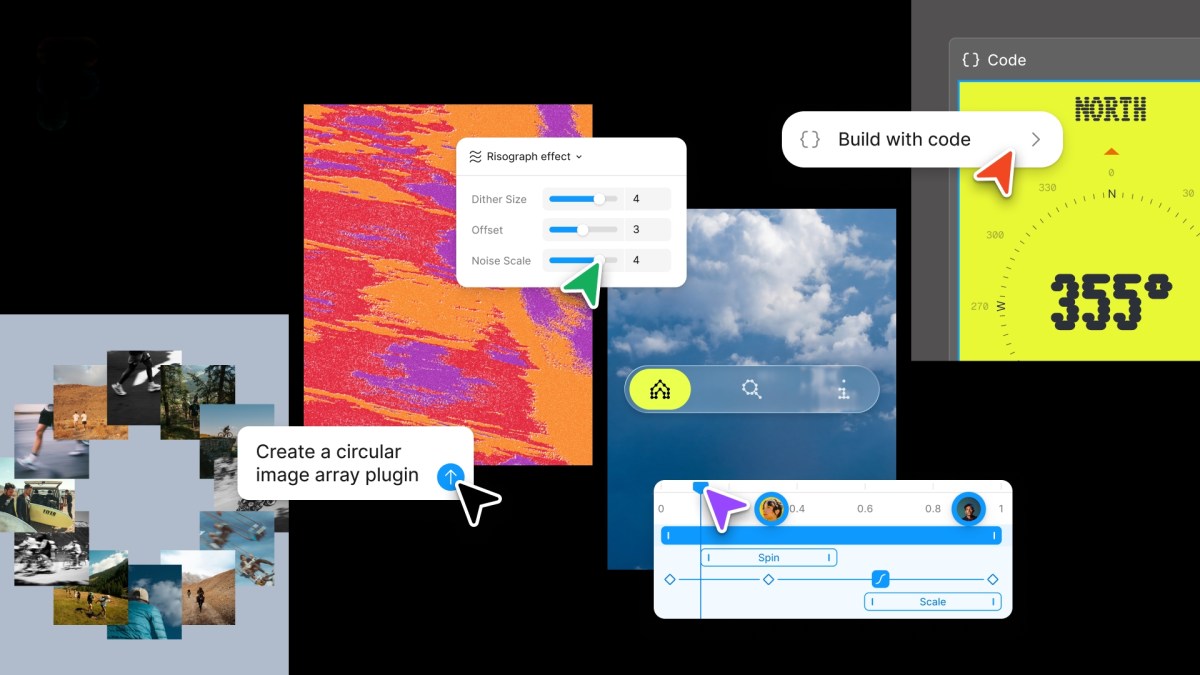
    Figma rolled out code layers directly in its collaborative canvas, allowing teams to clone repositories and extract code flows into design layers. The platform now supports animations, transitions, and 3D transforms natively, eliminating the need to create them elsewhere and convert them to code. AI can now generate shader effects and fills, and users can write text prompts to create repeatable skills for AI agents.

  • Why it matters

    The new code layers mean designers, product managers, and engineers can iterate together on rough ideas without producing production-ready code, potentially reducing handoff friction between design and engineering teams. Previously, designers had to use separate software for animations and then convert the work into a format Figma could understand; native support saves that round trip.

  • What to watch

    Later this year, Figma plans to integrate the node-based tool Weavy (which the company acquired last year) so users can generate Weavy workflows directly within Figma. The company is also adding the ability to connect tools like Notion, Granola, Excel, and GitHub to give the AI assistant more context for custom tasks.

FAQ

What is a code layer in Figma and what can it do?
Code layers let teams clone repositories and extract flows from code into design layers for testing directly in the collaborative canvas. According to the company's chief product officer, the feature is meant for rapid exploration and iterating on new directions rather than creating pristine production code.
When will Weavy integration be available in Figma?
An update rolling out later this year will allow users to generate Weavy workflows directly within Figma. Weavy is a node-based tool that Figma acquired last year, designed to help designers run workflows through different models to compare outputs.
What external tools can now integrate with Figma's AI assistant?
Users can now connect Notion, Granola, Excel, and GitHub, or attach files to give the AI bot more context about what they want it to do.

Discussion

No discussion yet for this article

Stay ahead with AI news

Get curated AI news from 200+ sources delivered daily to your inbox. Free to use.

Get Started Free

Free · takes 30 seconds · unsubscribe anytime

5 minutes a day. The AI essentials.

200+ sources · Email / LINE / Slack

Get it free →