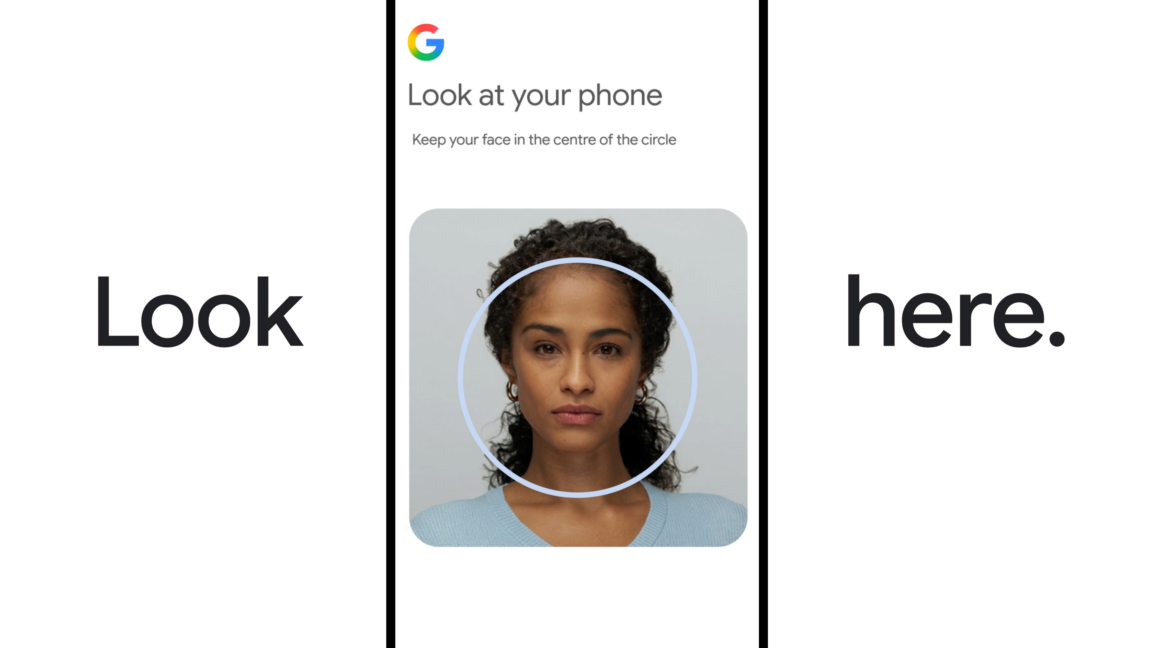
Google has launched a new account recovery feature that allows users to regain access to their accounts by recording and uploading a selfie video, which can later be used to sign in with a facial recognition selfie. The feature is optional and must be set up beforehand; videos are stored encrypted on Google's servers. Users can opt in or out of allowing Google to use the video to improve its facial recognition technology, and the feature is not available for Workspace accounts, child accounts, or accounts enrolled in Google's Advanced Protection Program.
Summaries like this, in your inbox every morning.
Sign up free →What happened
Google now offers a new account recovery method that lets users sign in with a selfie video instead of a password. Users must set up this feature in advance by recording a video that Google stores on its servers, encrypted.
Why it matters
For users who forget passwords or lose authenticators, this adds a faster alternative to existing recovery methods like backup codes or recovery contacts. However, the feature is not available for Workspace accounts, child accounts, or accounts in Google's Advanced Protection Program.
What to watch
During setup, Google offers an optional toggle allowing the company to use your selfie video to improve its facial recognition technology. The company confirms this is not required to use the recovery feature and will not use the video for other purposes if left unchecked.
Google has introduced a new account recovery feature that uses facial recognition to let users regain access to their accounts when they forget passwords or lose authenticators. Instead of relying solely on backup codes or recovery contacts, users can now record a video of their face and later sign in with a selfie.
To use this feature, users must set it up in advance by recording a video, which Google stores encrypted on its servers. The company's selfie sign-in landing page includes privacy disclosures stating that the video will be kept encrypted and not used for other purposes unless the user opts in. The feature has multiple stated uses: login, age verification for accessing certain account features, and creating an AI avatar.
However, the feature is not available universally. Users cannot configure selfie sign-ins for Workspace accounts, child accounts, or accounts enrolled in Google's Advanced Protection Program. During the setup flow, Google offers an optional toggle that allows the company to use the selfie video to improve its facial recognition technology. A Google spokesperson confirmed this toggle is not required to use the account recovery feature, and the company will not use the video for any other purpose if left unchecked.
Google's addition of selfie-based account recovery reflects the broader industry shift toward passwordless authentication methods. The company already offered multiple recovery options—recovery contacts, backup codes, and authenticator apps—but a facial recognition login provides a convenient alternative when users lose access to these tools. By requiring users to opt into the feature ahead of time and restricting it from high-security accounts (Advanced Protection Program) and managed accounts (Workspace, child accounts), Google appears to be balancing usability with security considerations.
The optional data-sharing toggle is noteworthy: Google is explicitly separating the core recovery function from its broader use of facial recognition data for model improvement. A Google spokesperson confirmed the toggle is optional, meaning users can employ selfie login for account recovery without contributing to the company's facial recognition development. This separation may reflect growing user concern about how biometric data is used by technology platforms.
AI-summarized, only the topics you pick — one digest a day via Email, Slack, or Discord.
Free · takes 30 seconds · unsubscribe anytime
No discussion yet for this article
Get curated AI news from 200+ sources delivered daily to your inbox. Free to use.
Get Started FreeFree · takes 30 seconds · unsubscribe anytime
1 minute a day. The AI essentials.
200+ sources · Email / LINE / Slack
