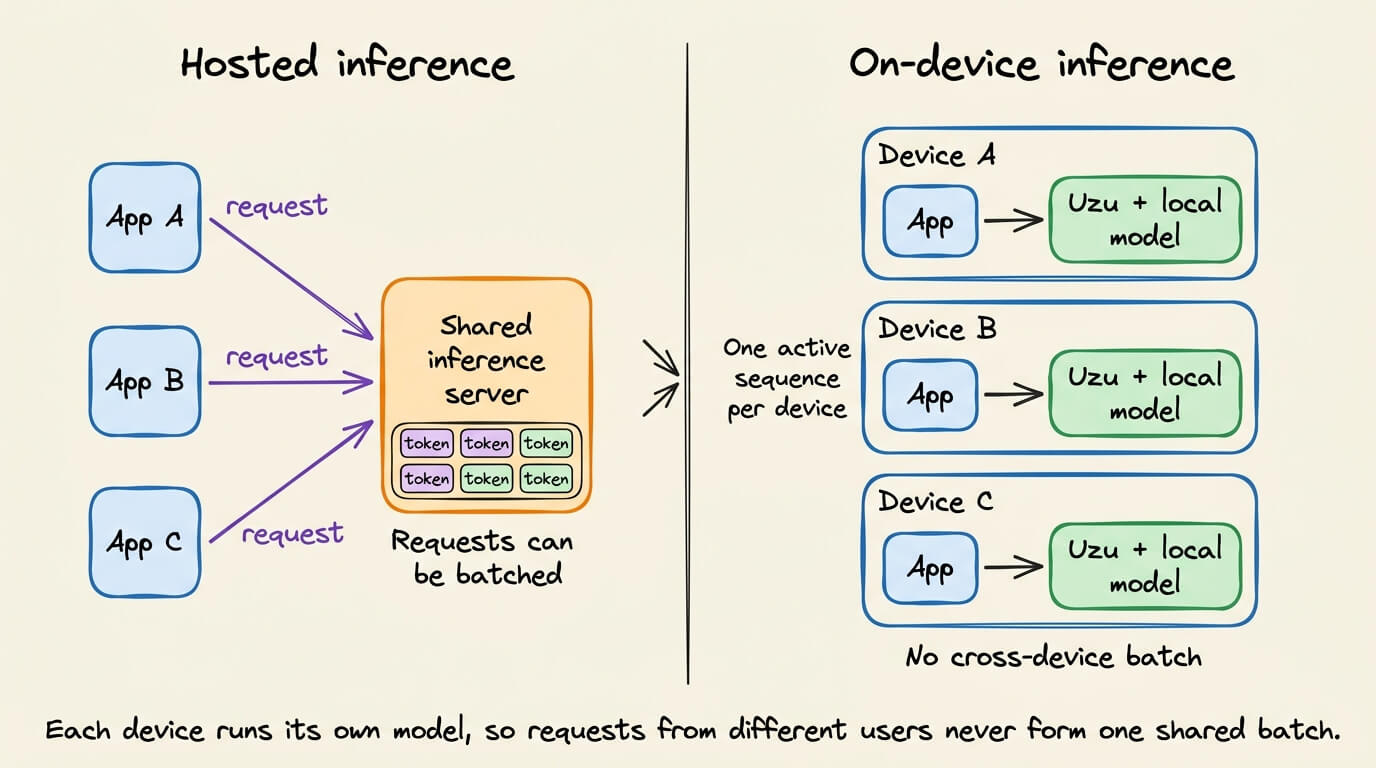
Uzu, Mirai's open-source engine, generated 92–117 tokens per second on a base M5 MacBook Pro with 4-bit Qwen3.5 9B, where llama.cpp hit 22 and MLX 25.
Summaries like this, in your inbox every morning.
Local LLM inference runs at batch size one: one app, one active sequence, one device. That removes cross-user batching, but also narrows the problem — the engine optimizes a single decode on known hardware. Uzu attacks two quantities at once: bytes transferred per pass and accepted tokens per pass.
The bytes side starts with a hard memory-bandwidth limit. A base M5 moves 153 GB per second, and a 4-bit Qwen3.5 9B checkpoint weighs about 5.2 GB, capping ordinary decoding at roughly 153 ÷ 5.2 ≈ 29 tokens per second. Uzu's Medium checkpoint uses 4-bit asymmetric integer quantization, and its Metal kernels run the speculative verification step on the M5's int8 matrix path. A block-diagonal Random Hadamard Transform of 32 values spreads outliers before quantization, matching the Apple GPU kernel's SIMD width.
The tokens side uses DFlash and Weaver to draft 16-token trees, while rollback-free verification handles Qwen3.5's Gated DeltaNet layers — 24 of its 32 — by computing candidate outputs without touching live state, then committing only along the accepted path. Mirai's published 27B benchmark reports 2.1× MTPLX, 3.8× llama.cpp and 4.4× MLX, with speculation lifting 35.54 to 114 tokens per second. Speed still depends on the workload: code and maths accept more drafts than open-ended conversation.
Pick your industry and the AI tools you use, and get news related to your work every day.
Free · 30 seconds with Google · unsubscribe anytimeWhat is AIToday? →
Ask AI anything about this article. The AI reads this article, earlier AIToday articles, and Wikipedia, and cites its sources. Q&As are published on this page for other readers too.
Valuence's "Generative AI User Trends Survey" (June 2024–May 2026) tracked six services including ChatGPT, Gem…
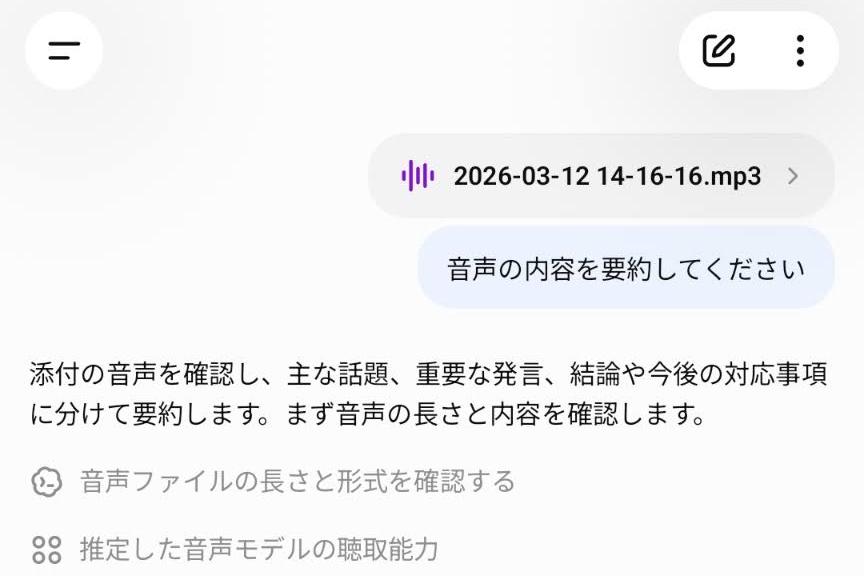
OpenAI began offering a ChatGPT feature that accepts uploaded audio files and can transcribe them, summarize t…
On a self-built 76-question Jev-format set, six trained 3B–9B open-weight models (Imajev-4B, Clef-Flash 9B, Je…

At Gemini at Work, Google introduced the Gemini agent, built into Gemini Enterprise, which gathers information…
Google released Google AI Edge Foresight, a free macOS Labs app that uses EmbeddingGemma 2 and Gemma 4 to tran…
The Association for Human Mathematics said OpenAI's release of 722 AI-generated "mathematical results" is not…