AIToday
Large Language ModelsAI Coding AssistantsAI Business & IndustrySemantic Kernel BlogPublished: Jul 31, 2026, 04:02 JST5 min read

Microsoft ships Agent Framework–Squad integration for multi-agent teams

Microsoft ships Agent Framework–Squad integration for multi-agent teams

Key takeaway

  • Microsoft has released v1.0 support for its Agent Framework to integrate with GitHub Copilot agents, and introduced Squad, an open-source framework that orchestrates multiple specialized agents as a self-learning team.

  • Unlike stateless AI tools that reset each run, Squad agents accumulate institutional knowledge—remembering decisions, extracting reusable skills, and learning from corrections—making them progressively better at domain-specific tasks like code review, content pipelines, and support escalation.

  • A new NuGet package makes it simple to embed a Squad team into a standard Microsoft Agent Framework pipeline.

3 Key Points

  1. What happened

    Microsoft released v1.0 support (in C# and Python) for its Agent Framework to work with GitHub Copilot agents, and announced Squad, an open-source multi-agent framework that runs on the Copilot CLI/SDK. A new NuGet package, Squad.Agents.AI, lets developers wire a Squad team into a standard MAF pipeline with a single IServiceCollection call.

  2. Why it matters

    Squad agents accumulate domain knowledge over repeated runs — remembering past decisions, extracting reusable skills, and respecting user corrections — rather than resetting to zero each time like stateless AI calls. For tasks like code review, content pipelines, or release gates, this means the team gets sharper and faster at your specific domain without prompt rewrites. Inside a MAF workflow, a Squad slot becomes "call the team that's been learning your project" rather than just "call an LLM."

  3. What to watch

    The integration requires only three lines of code: instantiate a CopilotClient, create a SessionConfig pointing to your Squad team folder with EnableConfigDiscovery set to true, then call client.AsAIAgent(). The package emits one OpenTelemetry span per dispatched specialist, so observability into the multi-agent fan-out works automatically with Aspire, Jaeger, or Application Insights.

In Depth

Read the full story

Microsoft has released v1.0 of its Agent Framework with full support for GitHub Copilot agents in both C# and Python. The framework lets developers create agents that leverage Copilot's coding capabilities—shell command execution, file operations, URL fetching, and Model Context Protocol (MCP) server integration—and integrate them into development pipelines.

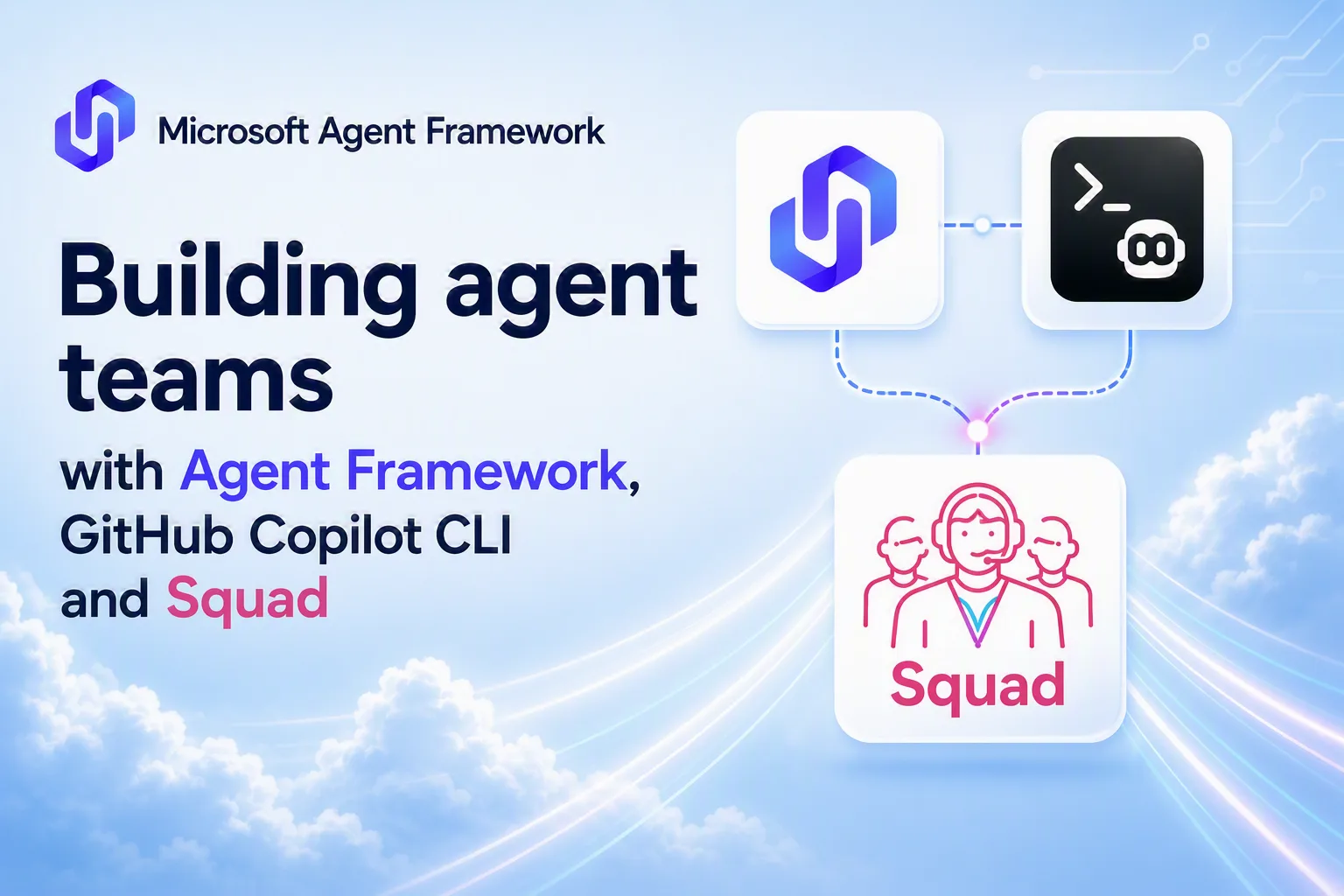
Alongside this release, Microsoft announced Squad, an open-source multi-agent framework built on top of the GitHub Copilot CLI/SDK. Squad lets developers describe a small team of specialists, each with its own charter, and a coordinator agent that dispatches work to them, lets them argue, and delivers a result. What distinguishes Squad from stateless agent calls is its learning model: the team remembers decisions over time ("we chose Postgres for this service"), extracts reusable skill files after discovering patterns (so the tenth run just executes a stored skill instead of rediscovering the deployment flow), respects user corrections ("never use that library" becomes a permanent directive), and onboards new team members with full access to the decision ledger and skill library.

To bridge Squad and MAF, Microsoft released Squad.Agents.AI, a small NuGet package that wraps a Squad team as a standard MAF AIAgent. Integration is minimal: developers call `builder.Services.AddSquadAgent(o => { o.SquadFolderPath = @"C:\path\to\your\team-root"; })` and then retrieve the registered agent from the service collection and call `squad.RunAsync()`. Under the hood, SquadAgent is a thin DelegatingAIAgent that wraps a CopilotClient pointed at the Squad folder and sets EnableConfigDiscovery to true—a flag that tells the CLI to auto-load the team's charters, skills, and MCP servers at session start instead of forcing the agent to rediscover them via file tools every turn. The entire class is essentially three operations: instantiate a CopilotClient, create a SessionConfig pointing to the .squad/ folder, and call client.AsAIAgent().

Microsoft highlights three major use cases for Squad inside a MAF pipeline. In content pipelines, a Squad team doesn't just research-draft-review; after ten runs it has learned your tone guide, remembered which sources you rejected, and skipped style arguments it has already resolved. In code review, the team remembers codebase conventions and past review decisions, so each review is sharper than the last. In release readiness gates, the team knows what "ready" means for your specific project because it captured release criteria as decisions over time, not because someone hardcoded them in a prompt. The result is repeatability that improves over time, as opposed to the constant replay of the same reasoning that stateless agents require.

Observability comes automatically: by default, Squad.Agents.AI emits one OpenTelemetry span per dispatched specialist, so any host already connected to Aspire, Jaeger, or Application Insights sees the full multi-agent fan-out on the same trace without extra plumbing. Developers can install the package with `dotnet add package Squad.Agents.AI --prerelease` and find the full README at github.com/bradygaster/squad/src/Squad.Agents.AI.

Context & Analysis

Microsoft Agent Framework (MAF) has traditionally supported stateless AI workflows—discrete calls that reset to zero each invocation, with no memory of past decisions or learned patterns. Squad introduces a counterpoint: a self-learning multi-agent system where a coordinator dispatches work to specialists, and the team accumulates institutional knowledge. By shipping a NuGet package that wraps Squad as a standard MAF AIAgent, Microsoft removes the integration friction and lets developers drop a learning team into an existing pipeline alongside deterministic steps and prompt-engineered agents.

The practical difference becomes clear in domain-specific workflows. A code review bot using Squad remembers past decisions ("we don't flag this pattern"), past corrections ("never use that library"), and patterns in your codebase—so the tenth review is sharper than the first. A content pipeline team learns your tone guide and editorial preferences. A stateless agent would relearn all of that every call. Squad's EnableConfigDiscovery flag loads the team's charters, skills, and MCP servers once at session start, so specialists don't waste turns rediscovering your architecture or deployment flow via file-reading tools.

The integration itself is minimal: three lines of code bind a CopilotClient to a Squad folder and hand the result to MAF's extension method. DelegatingAIAgent forwards every call to the Copilot-backed inner agent, and observability comes free through OpenTelemetry spans that show which specialist was dispatched, what they said, and how long they took—visible in any trace already connected to Aspire, Jaeger, or Application Insights.

FAQ

What capabilities do GitHub Copilot agents have?
GitHub Copilot agents provide access to shell command execution, file operations, URL fetching, and Model Context Protocol (MCP) server integration, and can be integrated into existing development pipelines.
How do you add a Squad team to a MAF application?
You register the Squad team using `builder.Services.AddSquadAgent()` with the path to your team folder, then retrieve it from the service collection as a standard `AIAgent`—the integration requires a single dependency-injection call.
What makes Squad different from a stateless agent in a MAF pipeline?
Squad remembers decisions over time, extracts reusable skill files, respects user corrections, and onboards new specialists with full access to the team's decision ledger and skill library. Stateless agents reset on every invocation, so they rediscover the same patterns and don't retain institutional knowledge.
Semantic Kernel BlogRead Original Article

Get the latest Large Language Models news every morning

AI-summarized, only the topics you pick — one digest a day via Email, Slack, or Discord.

Free · takes 30 seconds · unsubscribe anytime

Related Articles

Next articleNearly a third of workers sabotage company AI—wage cuts, not layoffs, are the real threat

The AI news that matters, in one minute each morning.

Sign up free