What happened
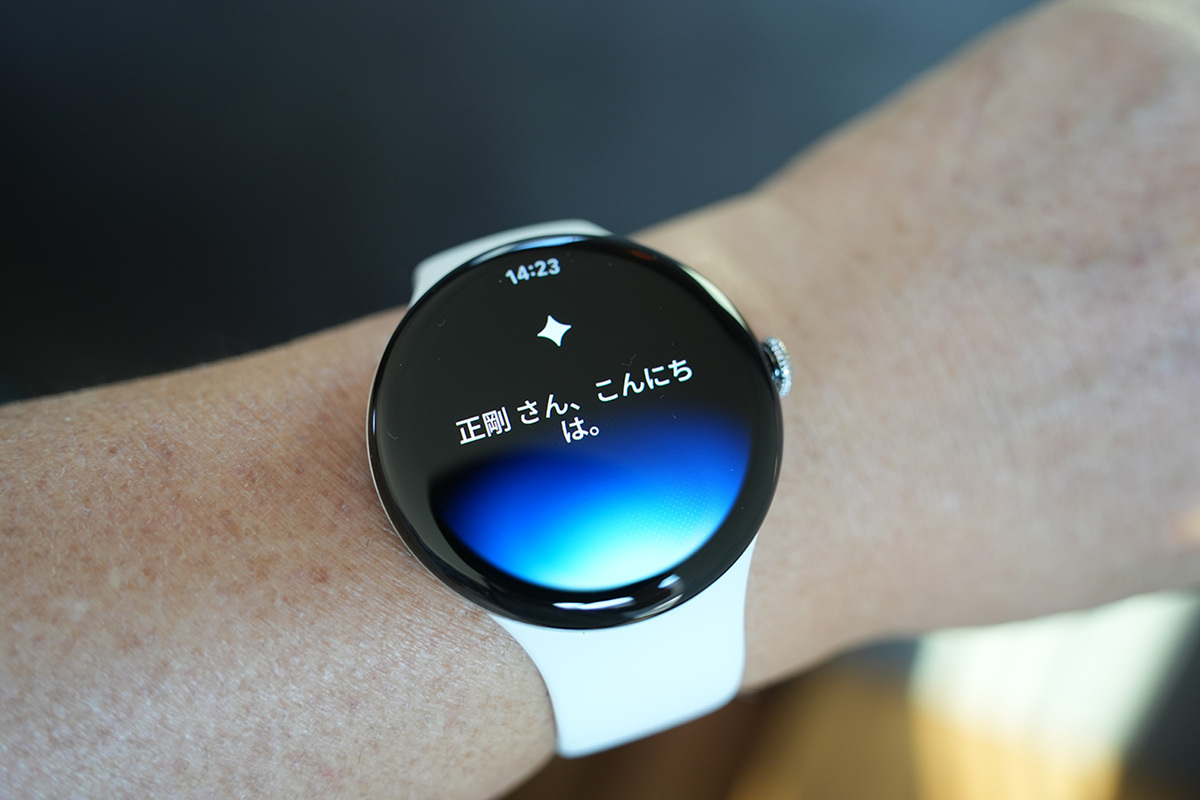
Google's Pixel Watch 5 adds a "proactive assist" feature that spots dates, times, or store names in received messages and suggests opening Calendar or Maps; it works only when paired with a Pixel 11 series phone.
Why it matters
The feature makes Gemini (Google's AI assistant) more useful on the wrist by acting on message content without a tap, but the Pixel 11 pairing limit means many Watch 5 owners won't get it yet.
Summaries like this, every morning.
The Pixel Watch line first gained Gemini with the previous Pixel Watch 4, and the Pixel Watch 5 builds on that with improved processor and RAM. The review unit used is the 45mm LTE + Bluetooth/Wi-Fi model paired with a Pixel 10 Pro XL, which matters because the new proactive assist is not available on that pairing.
Beyond the new assist, Gemini on the watch can be launched by saying "OK Google", tapping the Gemini icon, long-pressing the side button, or raising the wrist toward the mouth. This last gesture must be enabled under Settings, then Gestures, then "Raise to talk", where voice sensitivity can also be adjusted. A curved gradient appears at the bottom of the screen when the watch is listening.
Using voice to add appointments to Calendar and to start a running workout without navigating the Exercise menu is also described. The proactive assist is presented as the headline addition for this generation, but its dependence on a Pixel 11 series phone suggests the watch's AI features are becoming more tightly coupled to Google's newest phones, at least for now.
Pick your industry and the AI tools you use, and get news related to your work every day.
Free · 30 seconds with Google · unsubscribe anytimeWhat is AIToday? →
Ask AI anything about this article. The AI reads this article, earlier AIToday articles, and Wikipedia, and cites its sources. Q&As are published on this page for other readers too.
Gemini 4 Neon, released November 18, 2026, projects XRP at $1.45 by December 31, 2027 — a 53.5% gain from abou…

Meituan, a food-delivery giant, entered the model race in June 2026 with LongCat 2.0, which reached OpenRouter…
The explainer walks through ROUGE-L, built on the longest common subsequence (LCS), and shows in worked exampl…

At a Nov 28, 2026 Tableau巣鴨会 talk titled "Still doing analysis by hand?", the presenter argued against judging…

After a week with Muse, the writer says email triage and calendar planning were the most-used features, with a…

On the Hard Fork podcast, Terence Tao called major tech firms' AI math proofs "toxic waste" — results that sol…