AIToday

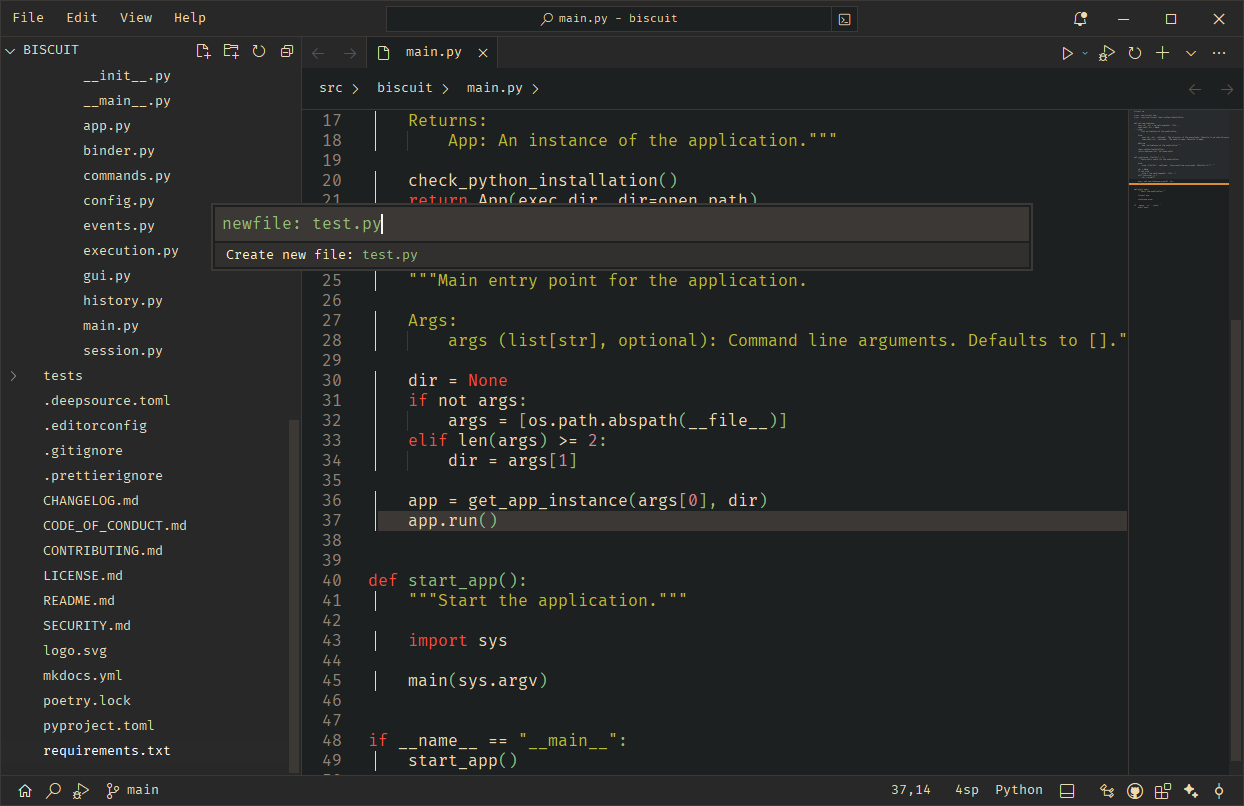
Biscuit: Native AI Code Editor, Under 20MB

Hacker News3h ago
Biscuit: Native AI Code Editor, Under 20MB

Key takeaway

Biscuit is a lightweight, native code editor under 20 MB in size that integrates AI agents powered by Gemini and Claude to automate coding tasks like file editing, codebase search, and terminal execution. It includes code intelligence features such as fast parsing, symbol navigation, debugging with breakpoints, and git operations, all extensible through a new extension marketplace. The editor is available for immediate installation via pip and is open-source under the MIT License.

Summaries like this, in your inbox every morning.

Sign up free →

3 Key Points

  • What happened

    Biscuit, a native code editor with built-in AI agents, is now available for installation via pip (pip install biscuit-editor) and runs in under 20 MB. The project includes an extension marketplace, support for multiple LLM providers (Gemini, Claude 4.5 Opus/Sonnet/Haiku, Gemini 2.5 Flash/Pro), and agents that can read files, edit code, search codebases, run terminal commands, and manage tasks.

  • Why it matters

    For developers, Biscuit offers lightweight, fast code intelligence—tree-sitter parsing, symbol navigation, git operations, debugging with breakpoints and variable inspection, and extensibility through custom extensions. The AI agent feature can automate routine coding tasks, while the small footprint and quick startup make it accessible to developers who want a capable editor without heavyweight dependencies.

  • What to watch

    The extension marketplace is live for users to explore community-built extensions; the documentation is marked as work-in-progress. The project is open-source under the MIT License and accepts contributions; developers can build custom extensions, add language servers, and register new LLM providers.

In Depth

Biscuit is a fast, native code editor designed for speed and extensibility, weighing in at less than 20 MB and installable in seconds via pip. Installation is straightforward: running pip install biscuit-editor followed by biscuit path/to/src opens a project immediately. The editor bundles several AI features powered by LLM agents; it supports Gemini (2.5 Flash and Pro variants) and Anthropic Claude (4.5 Opus, Sonnet, and Haiku). The planning agent can perform a range of file and codebase operations: reading and editing files, deleting files, listing directories, searching with glob patterns and grep, searching the codebase directly, running terminal commands, writing to-do lists, and inspecting workspace and active editor state. Users can also attach files to add context in chat interactions. The editor handles code intelligence through fast tree-sitter–based parsing and syntax highlighting, provides code completions with icons, displays hover-based symbol definitions and docstrings (rendered with highlights and markdown), and includes a symbol outline sidebar for navigation. A floating peek widget enables jumping to symbol definitions or declarations, and symbol references are visible within the open editor. Source control is integrated with a split diff viewer for changes and staged changes, easy access to essential git operations (push, pull, commit, stage, unstage, branch switching), the ability to clone repositories and open them in the editor, and (currently disabled) support for viewing GitHub issues and pull requests. Search is powered by ripgrep for fast queries, accessible from the status bar, with support for regex, case-sensitive matching, and the ability to replace individual occurrences or all at once. Floating find-replace widgets enable searching within open editors. Debugging includes setting breakpoints across files, an inspection panel for runtime variables with the ability to modify them, call stack visualization and exception tracing, full DAP (Debug Adapter Protocol) client integration, and a built-in Python debugger; additional debuggers can be registered through extensions. The editor supports split markdown editing with plain HTML rendering, relative line numbering, vim mode, editor config support, and drag-and-drop for opening files and folders. Extensions are managed through a GUI, searchable within the editor, and can be bootstrapped via CLI commands and templates. A new extension marketplace website is available for discovering and sharing extensions. Biscuit is released under the MIT License and welcomes contributions; the documentation provides guides for developers and an API reference, with a contributing guide explaining the project structure and environment setup. Extension development is documented separately, and developers are encouraged to extend the editor with custom functionality.

Context & Analysis

Biscuit positions itself as a lightweight alternative to heavier IDEs and code editors by maintaining a sub-20 MB footprint while embedding AI agents at the core. The integration of multiple LLM providers—Gemini and Anthropic Claude variants—reflects the current landscape where developers want flexibility in which AI backend powers their tools. The agent system is grounded in practical file and codebase operations: reading, editing, searching, and executing terminal commands, rather than abstract capabilities. The extension marketplace and extensible architecture (documented for building custom extensions, registering language servers, and adding LLM providers) suggest a strategy to let the community shape the editor's capabilities without bloating the core. The project is MIT-licensed and actively soliciting contributions, which indicates an open-source development model aimed at building a developer community.

FAQ

How do I install Biscuit?
Install the latest release by running pip install biscuit-editor, then open a project using biscuit path/to/src and start editing immediately.
What AI models does Biscuit support?
Biscuit supports Gemini (2.5 Flash/Pro), Anthropic Claude (4.5 Opus/Sonnet/Haiku), and allows adding more LLM providers through biscuit extensions.
What can the AI agent do?
The planning agent can read and edit files, delete files, search codebases, list directories, run terminal commands, manage to-do lists, and attach files for adding context in chat.

Get the latest AI Coding Assistants news every morning

AI-summarized, only the topics you pick — one digest a day via Email, Slack, or Discord.

Free · takes 30 seconds · unsubscribe anytime

Discussion

No comments yet. Be the first to share your thoughts!

Log in to join the discussion

Related Articles

Stay ahead with AI news

Get curated AI news from 200+ sources delivered daily to your inbox. Free to use.

Get Started Free

Free · takes 30 seconds · unsubscribe anytime

1 minute a day. The AI essentials.

200+ sources · Email / LINE / Slack

Get it free →