
What happened
Anthropic integrated its Claude Cowork system (which creates files, slides, and reports from research) directly into the side panel of its Chrome extension. Skills, plugins, and connectors now work in the browser for the first time without extra setup, letting Claude handle research while Cowork produces Excel files, PowerPoint slides, or reports.
Why it matters
The integration eliminates friction for users who want to gather information from web pages and turn it into structured outputs — analytics dashboards become spreadsheets, Google Drive documents get organized, sales calls log automatically to Salesforce. Claude asks for confirmation before making purchases, and sessions are tied to your account rather than your device.
What to watch
The update is available now for all paid plans through the Chrome Web Store. Anthropic cautions that the extension remains vulnerable to prompt injection attacks and advises against using it with banking or health data.
Summaries like this, in your inbox every morning.
Anthropic's Chrome extension has long offered the ability to browse, click, type, and fill out forms on any webpage you're logged into—essentially automating low-level web interactions. Until now, that capability was limited to information gathering. The integration of Claude Cowork into the extension's side panel extends the extension's utility by allowing users to not only research but also synthesize that research into structured business outputs in a single workflow. This removes friction: users no longer need to switch contexts between a web browser and a separate Cowork interface to move from data collection to document creation.
The security posture reflects a broader tension in LLM-powered browser tools. Because the extension reads and interacts with the page you're viewing, it is theoretically exposed to malicious page content that could inject hidden instructions into Claude's reasoning (a "prompt injection" attack). Anthropic's explicit warning against use with banking or health data indicates the company is prioritizing user choice over locking down the feature, trusting users to assess their own risk tolerance based on the data they handle.
Pick your industry and the AI tools you use, and get news related to your work every day.
Free · 30 seconds with Google · unsubscribe anytimeWhat is AIToday? →
Ask AI anything about this article. The AI reads this article, earlier AIToday articles, and Wikipedia, and cites its sources. Q&As are published on this page for other readers too.
In Q2, billionaires or their funds sold six 'Magnificent Seven' AI stocks

Nvidia was rising early Friday, even as the wider chip sector kept falling, Barron's reported

ElevenLabs completed a $300 million employee tender at a $22 billion valuation, and co-founder Mati Staniszews…

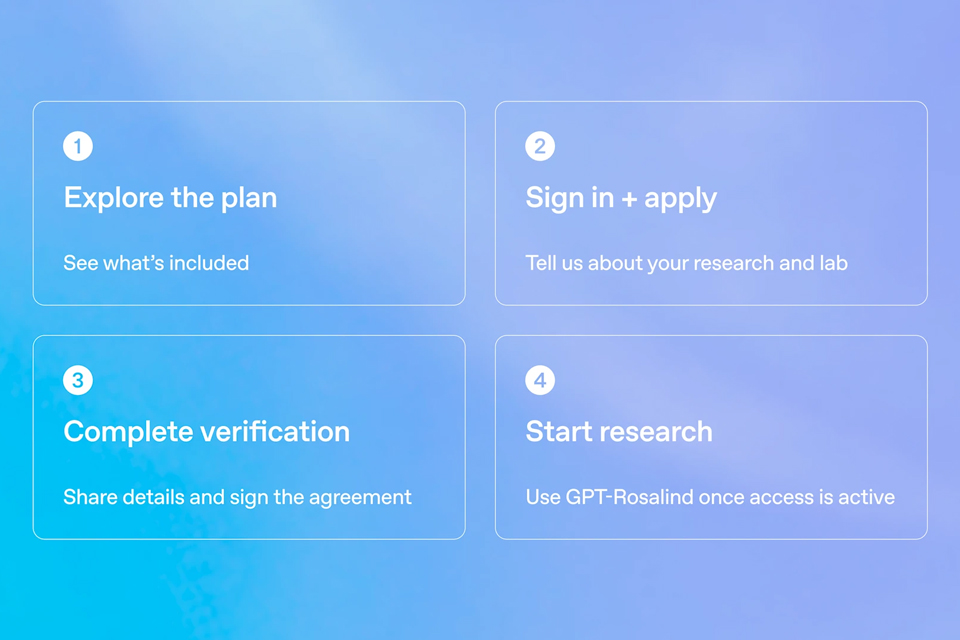
On October 15, OpenAI announced the Rosalind Academic Plan, giving approved US university labs free access to…
Neostellar Capital principal Evan Schlossman said CoreWeave's $103.7 billion in remaining performance obligati…

A Qiita article compared automated red-teaming methods for LLM apps — GCG, PAIR, and TAP — using mock implemen…


