What happened
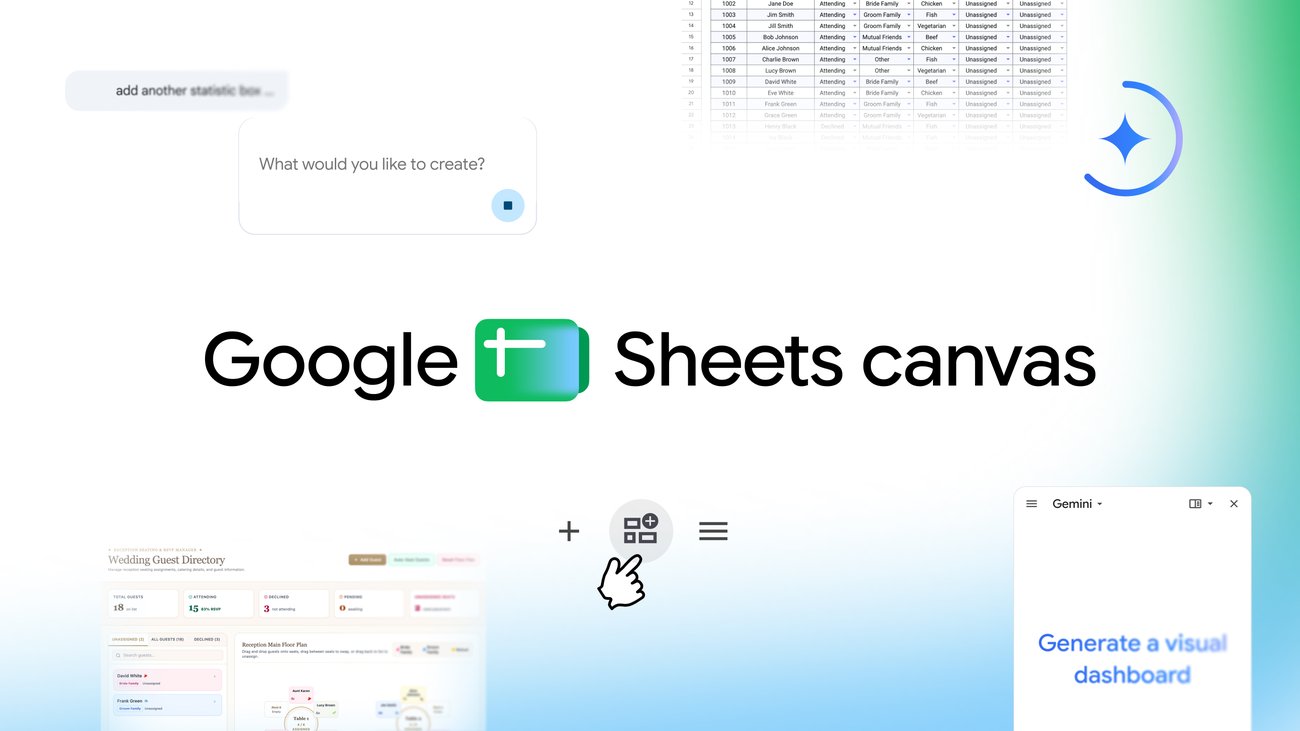
Google has launched Sheets canvas, a feature built with Gemini that converts spreadsheet data into custom interactive dashboards, study trackers, seating charts, and other layouts through natural language prompts—no coding required. The canvas sits as a dynamic, read-write layer on top of spreadsheet data and syncs changes in real time between the canvas and original sheet.
Why it matters
For business users, students, and organizers managing complex data—wedding RSVPs, assignment deadlines, fantasy football rosters, or income tracking—canvas eliminates the need to parse hundreds of rows and columns manually. The feature is fully collaborative and shareable within Google Sheets, making it practical for teams.
What to watch
Sheets canvas is rolling out starting today globally in English to Google Workspace customers on Business or Enterprise Standard and Plus plans, Google AI Pro subscribers, and Google AI Pro for Education add-on subscribers. Users can access it by opening a Google Sheets spreadsheet and selecting 'Create canvas' in the Ask Gemini side panel.
Summaries like this, in your inbox every morning.
Google Sheets has long been the standard tool for organizing and analyzing data, but the traditional row-and-column interface can be difficult to parse at scale. Sheets canvas addresses this friction by adding a visual layer powered by Gemini AI, allowing users to transform raw spreadsheet data into purpose-built interactive interfaces without manual design or coding work. The feature's architecture—a read-write layer that syncs in real time with the underlying sheet—means that updates made in the canvas or the original spreadsheet automatically propagate, preserving data integrity while offering flexibility in how that data is viewed and used.
The examples Google highlights (study trackers, fantasy football dashboards, and wedding seating charts) suggest the feature is aimed at both personal and collaborative use cases where data visualization and interactivity unlock value that a flat spreadsheet cannot easily provide. Because the canvas lives as a tab within Google Sheets and is fully shareable, it integrates into existing workflows rather than requiring users to export data or adopt a separate tool. The rollout to Google Workspace Business and Enterprise customers, as well as Google AI Pro users, positions the feature within Google's existing tier structure and reinforces Gemini's role as a productivity enhancer for both individuals and organizations.
Pick your industry and the AI tools you use, and get news related to your work every day.
Free · 30 seconds with Google · unsubscribe anytimeWhat is AIToday? →
Ask AI anything about this article. The AI reads this article, earlier AIToday articles, and Wikipedia, and cites its sources. Q&As are published on this page for other readers too.
Cammarata reinterprets InceptionV1's cat-car neuron as a V-shape detector, not two unrelated concepts

Google Deepmind's Gemini 4 Argon scored 97.5 percent on ARC-AGI-3 at a cost of $4,800, second only to GPT-6 As…
Microsoft's Surface Laptop Ultra, using Nvidia's RTX Spark platform, starts at $2,599 (up to $5,899)

Meta's new commercial terms, effective October 30th, appear to let it crawl and train AI on content from websi…
Vercel data published Thursday shows TypeSafe AI's Jev, a lightweight decision model for choosing among predet…
Reflection AI introduced Beam, an open-weight model for agentic coding and long-horizon tasks, with 501 billio…