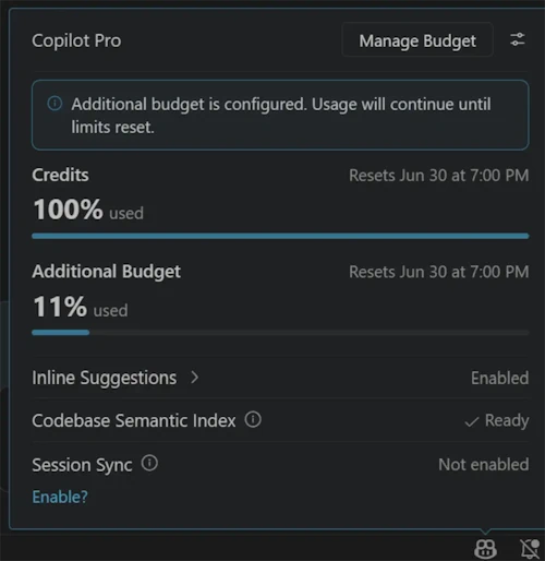
Microsoft has added a feature to Visual Studio Code that displays the number of tokens consumed by GitHub Copilot, along with alerts when usage approaches or reaches a preset spending threshold.
Summaries like this, in your inbox every morning.
Pick your industry and the AI tools you use, and get news related to your work every day.
Free · 30 seconds with Google · unsubscribe anytimeWhat is AIToday? →
Ask AI anything about this article. The AI reads this article, earlier AIToday articles, and Wikipedia, and cites its sources. Q&As are published on this page for other readers too.
Aparna Nair, IBM's chief talent, leadership, and culture officer, said generalists alone "will cut it" in the…

Vinci4D provides chip-design simulation software that trains on physics equations instead of customer data, an…

Reflection AI introduced Beam, an open-weight model for agentic coding and long-horizon tasks, with 501 billio…
A developer released agent-guardrails, a one-script Python standard-library plugin that guards Bash, Write, Ed…

A Zenn guide explains systems to install before letting AI agents, bots or scheduled jobs post, send, publish…
The walkthrough points the CLI at a local mock via the ANTHROPIC_BASE_URL environment variable

