What happened
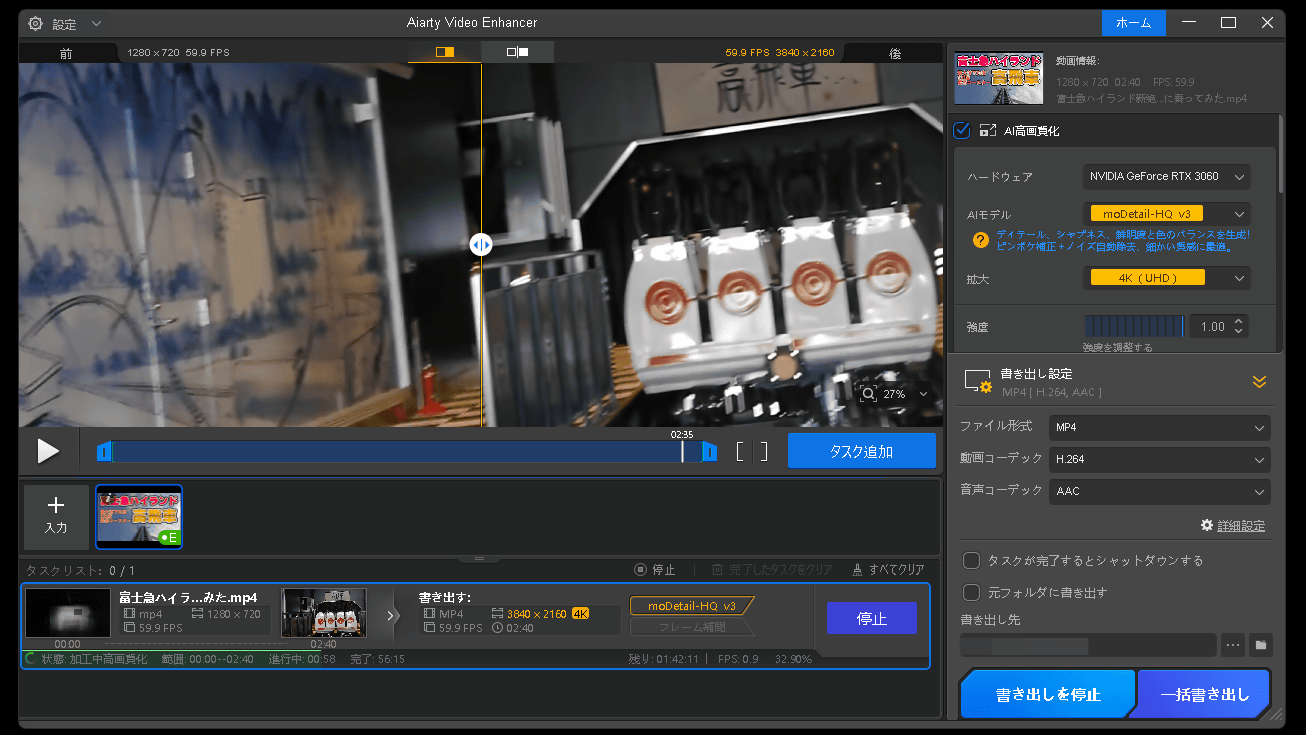
GIGAZINE tried VideoProc Converter AI, which downloads video from more than 1,000 sites including YouTube, together with Aiarty Video Enhancer, which uses AI to upscale low-resolution footage to 4K or 8K, and called the download-to-4K workflow very simple.
Why it matters
The pair is pitched at people who have never used this kind of software, and the enhanced video showed less noise and blur and a more natural look than typical AI upscaling.
Summaries like this, every morning.
The review walks through a two-step workflow: VideoProc Converter AI fetches a clip from a supported site, then Aiarty Video Enhancer handles the upscaling. The downloaded test file was 55.8MB, and the enhancer offers several AI models tuned to different footage, from daylight outdoor scenes to very dark indoor shots. Users pick an upscale target such as 4K and can adjust model strength from its default of 1.00. A step mode processes video in small chunks to cut VRAM use at the cost of speed, while a Turbo mode speeds things up but uses more VRAM and slightly reduces detail precision. Output can be set to MP4 or MOV, with H.264, H.265 or AV1 video and AAC or MP3 audio. A comparison of a frame from the original and the 4K version, shrunk to the same resolution, found the enhanced clip had less noise and clearly less blur when zoomed in, and the result looked less obviously AI-processed and more natural than much current AI upscaling.
Pick your industry and the AI tools you use, and get news related to your work every day.
Free · 30 seconds with Google · unsubscribe anytimeWhat is AIToday? →
Ask AI anything about this article. The AI reads this article, earlier AIToday articles, and Wikipedia, and cites its sources. Q&As are published on this page for other readers too.
A CloudGPU practitioner published a workflow proposal to write a "handoff plan" before rendering AI short dram…

A user with no programming background had Claude Code run political clip-video production end to end
The guide found that nano-banana-2 (RunComfy) tops installs at 440,342 and ai-video-generation follows at 385…
FlowersKnives released MaiStory Ver 1.0 on November 7, 2026, an AI video production platform where users work…

The author built a Claude Code skill (SKILL.md) defining a fixed narrated-video pipeline with Remotion — scrip…
Vermeij told Rock Paper Shotgun he would be concerned, if he were Rockstar, that someone would take the PS5 ve…