What happened
A developer consolidated AI coding rules into a shared repository named development-standards, split into instructions for agents (read via AGENTS.md) and settings for VS Code's generate button, and copies them into projects like my-project with a Node.js script.
Why it matters
Rule text lives in one place instead of copies, so a fix made once can be pulled into other projects and the latest version is always clear — the sync script writes, but commits and pull requests are left to the developer.
Summaries like this, every morning.
The setup draws a line between two ways instructions reach an AI: work delegated to an agent like Codex, and the generate button in VS Code. Those use different entry points, but both point back to the same source text — PR creation, for example, uses the same pull-request.instructions.md whether an agent or the button is asking.
The repository layout reflects that split. AGENTS.md is kept as a reference list rather than a place to write rule text, and .github/copilot-instructions.md only tells the reader to read AGENTS.md instead of duplicating the list. Rule bodies live under docs/rules/, while form structure sits in Issue forms and PR templates and writing style in the generate-button files.
Syncing is deliberate rather than automatic. The script is run first without --write to preview, then with --write to apply, and finally re-run to confirm zero additions, updates, or deletions. Some files are overwritten wholesale, while AGENTS.md and the Copilot guidance are updated only inside management markers, and VS Code settings are partially updated with Microsoft's jsonc-parser so project-specific keys survive. The stated aim is to return judgments from real work back into the source over time, so the same standards carry across projects and even across different agents.
Pick your industry and the AI tools you use, and get news related to your work every day.
Free · 30 seconds with Google · unsubscribe anytimeWhat is AIToday? →
Ask AI anything about this article. The AI reads this article, earlier AIToday articles, and Wikipedia, and cites its sources. Q&As are published on this page for other readers too.
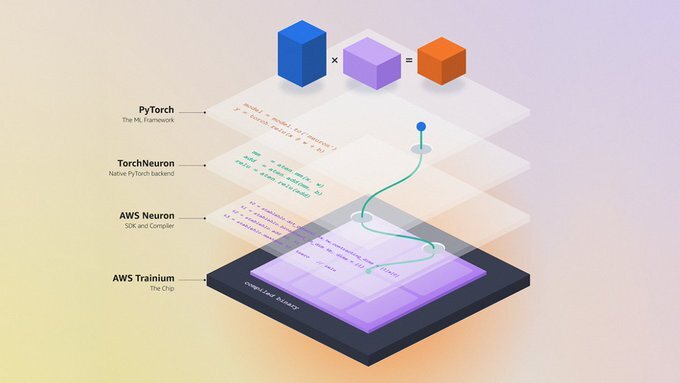
At PyTorch Conference 2026, AWS released TorchNeuron for AWS Trainium as a public beta and Google Cloud releas…
Oracle unveiled 25 Claw-powered Agentic Applications across Fusion Cloud ERP, HCM, SCM and CX at AI World in L…

On October 19th, OpenAI reported that its GPT-6.1 Sol model achieved 87 percent behavior preservation accuracy…
Anthropic filed its S-1 with the SEC to list on Nasdaq under the ticker "ANT," reporting an $80.7 billion net…

In a Decoder interview, Kevin Roose, author of The AGI Chronicles, said the labs "feel the AGI to varying degr…

Fanatics launched an OpenAI-powered Shop the Look across Fanatics.com and the official NFL, NBA, MLB and NHL o…