
What happened
The author detailed a Python script that uploads MP3 audio to Google Cloud Storage (GCS), transcribes it with gemini-pro, then extracts summaries, decisions and ToDo items into meeting_report.json.
Why it matters
The workflow replaces manual transcription, summarization and minute-writing, and the author says it substantially reduced the time spent producing minutes.
Summaries like this, in your inbox every morning.
The post frames the problem plainly: meeting audio holds important information, but transcribing, summarizing and drafting minutes by hand consumes significant time and invites missed details or misreadings. The author, who already automates work with AI and RPA, treats that manual effort as the thing to remove.
The pipeline is split into two stages connected by a text file. First, audio is uploaded to Google Cloud Storage and handed to gemini-pro for transcription, with the script polling while the file is processed and saving the transcript to transcript.txt. Second, a second script passes that transcript back to Gemini with a prompt that specifies a JSON shape — summary, decisions, and ToDo entries with assignee and due date — and writes the parsed result to meeting_report.json.
The author is candid about where it can break. Transcription quality shifts with room acoustics, voice and background noise; long recordings may need splitting or a speech-specific service; and output quality depends heavily on prompt wording, which is why the example spells out the JSON format. API rate limits and usage costs are flagged as operational concerns for high-volume use. Beyond minutes, the author suggests the same approach could support sales-call analysis and knowledge sharing.
Pick your industry and the AI tools you use, and get news related to your work every day.
Free · 30 seconds with Google · unsubscribe anytimeWhat is AIToday? →
Ask AI anything about this article. The AI reads this article, earlier AIToday articles, and Wikipedia, and cites its sources. Q&As are published on this page for other readers too.
DeepSeek released DeepSeek-V4.1-Flash-1017, a “minor update” that reduces task execution time and output lengt…
NEC's Kei Noguchi described how employee engagement fell to 19%, with 8 in 10 staff saying they wanted to leav…

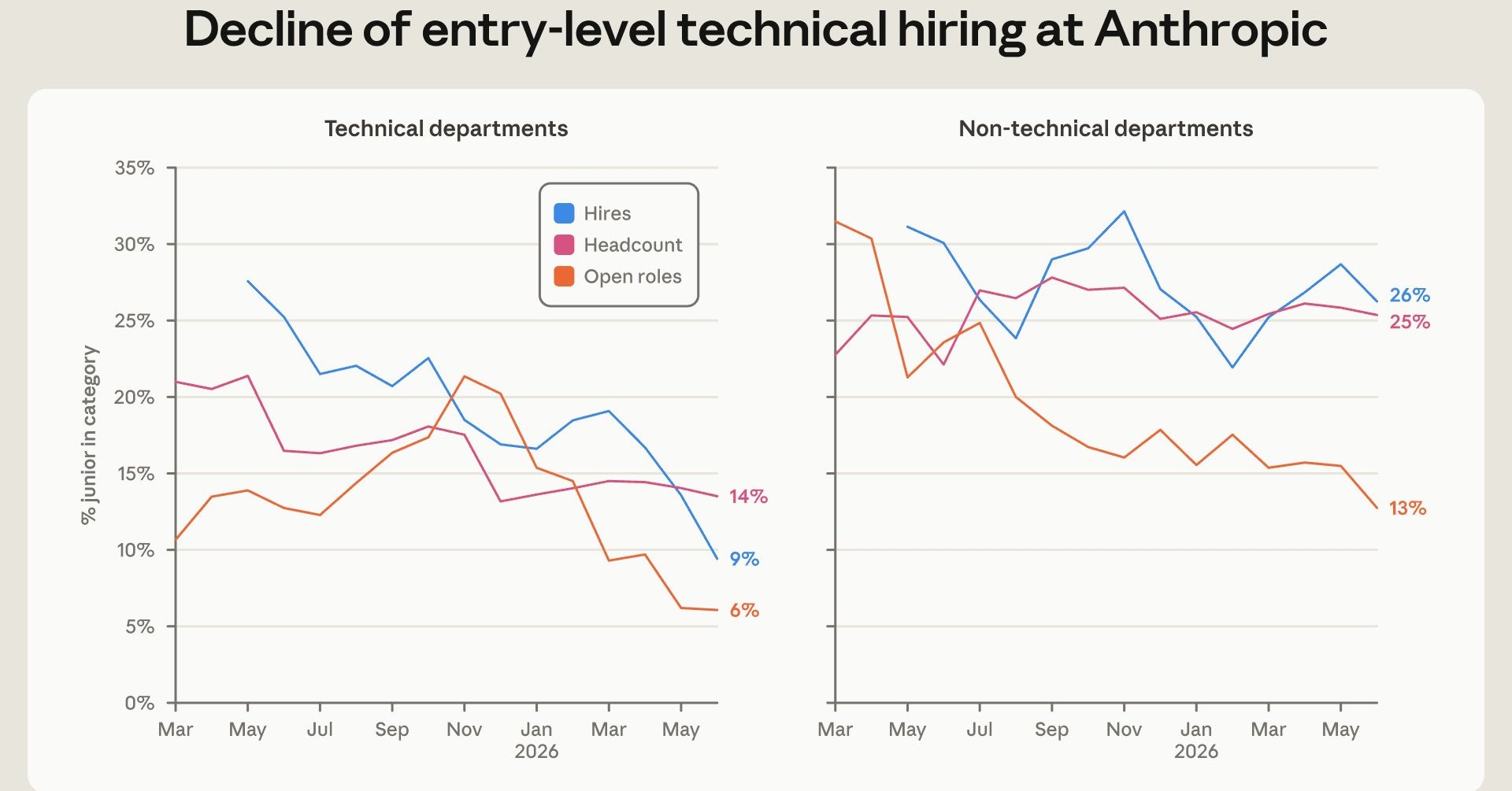
Anthropic's internal report says entry-level workers fell from 21% to 14% of technical staff, and entry-level…
Simon Willison shipped llm-echo 0.5, a debug plugin whose "echo" model involves no LLM at all and just repeats…
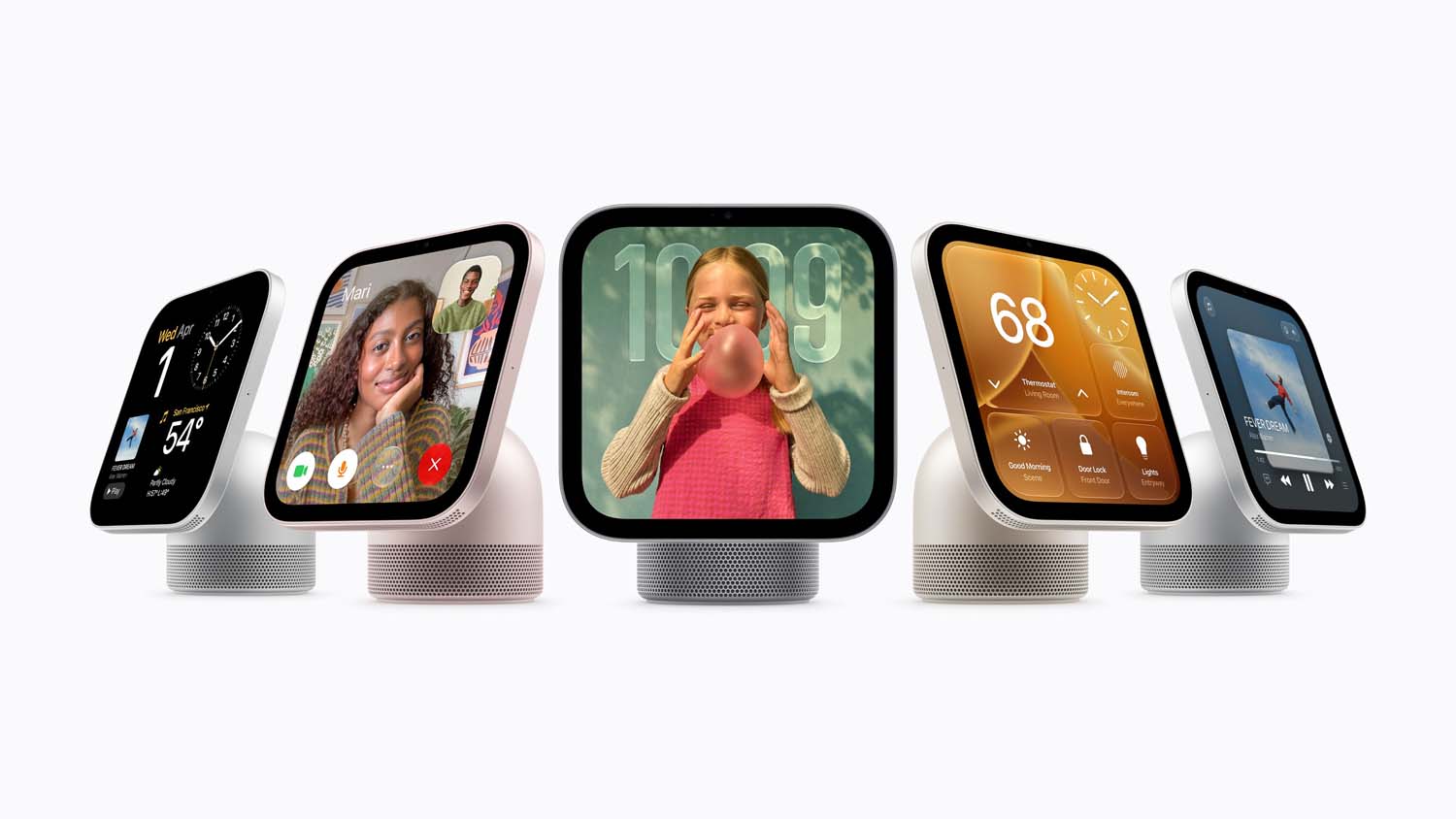
On October 13 (US time), Apple announced HomeView, a $299 smart home display running Siri AI and HomeKit but w…
PitchiPT, a physical therapist of over 10 years, started full-scale AI-assisted programming around June 2026 a…

