What happened
Remarc, a macOS app, lets users comment on text, screenshots, or web elements and attach those comments with full context to AI coding agents like Claude, Cursor, and others via integrations.
Why it matters
AI agents currently lose context when users describe feedback verbally or in separate prompts. Remarc preserves the original selection, screenshot, or web element data with each comment, so agents can act on what the user actually saw instead of a paraphrase—reducing back-and-forth and manual context rebuilding.
What to watch
The app runs locally on macOS 14.0 or later with no accounts or telemetry; data stays on your Mac unless you send it to an agent or export it. It is free and open-source under MIT license, with a companion Chrome extension for capturing web context.
Summaries like this, in your inbox every morning.
Remarc addresses a real friction point in AI-assisted coding: when a developer spots something that needs fixing, they must either describe it in text (losing visual context), take a screenshot and explain it separately, or copy-paste code fragments—all of which require the AI agent to reconstruct the developer's understanding from scratch. By bundling the original artifact (selected text, screenshot, web element) with the human feedback as a structured comment, Remarc lets agents work directly from what the developer saw, not from a lossy description.
The tool's design philosophy—local storage, no accounts, privacy by default—reflects a deliberate choice to make it a thin layer between the developer and their agent rather than a centralized service. The support for multiple input methods (text selection, screenshots with annotation tools, web element capture via Chrome extension, and voice transcription on macOS 26+) recognizes that different feedback situations call for different media. The integration with the Model Context Protocol (MCP) and agent plugin systems (Claude Code, Cursor, Codex, OMP) ensures that the context Remarc captures can be read by whatever agent the developer is using without lock-in.
Pick your industry and the AI tools you use, and get news related to your work every day.
Free · 30 seconds with Google · unsubscribe anytimeWhat is AIToday? →
Ask AI anything about this article. The AI reads this article, earlier AIToday articles, and Wikipedia, and cites its sources. Q&As are published on this page for other readers too.
Circlia started a proof-of-concept for TASTE SIGNAL: visitors to Holland Village Cafe FUKUOKA taste cookies an…

In a webinar hosted by French Mathematical Society president Isabelle Gallagher, Fields Medal winner Hugo Dumi…

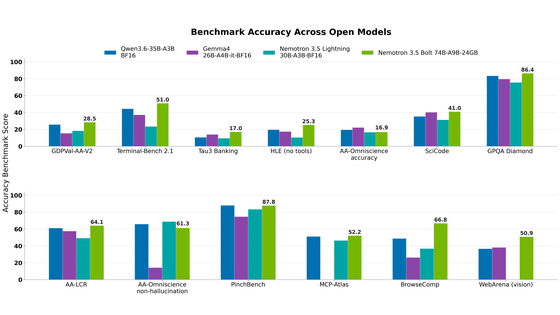
NVIDIA released Nemotron 3.5 Super VL, an open-weight model with 120 billion parameters that handles text, ima…
NVIDIA released Nemotron 3.5 Bolt 74B-A9B 24GB, an AI model for local agents that hits over 80 tokens per seco…
NVIDIA published a blog post titled "AI Security Is an Engineering Problem - How to Solve It at Every Layer of…

In the test, Haiku 5.5 on medium setting averaged scores close to Sonnet 5.5 on routine documents at about 1/1…