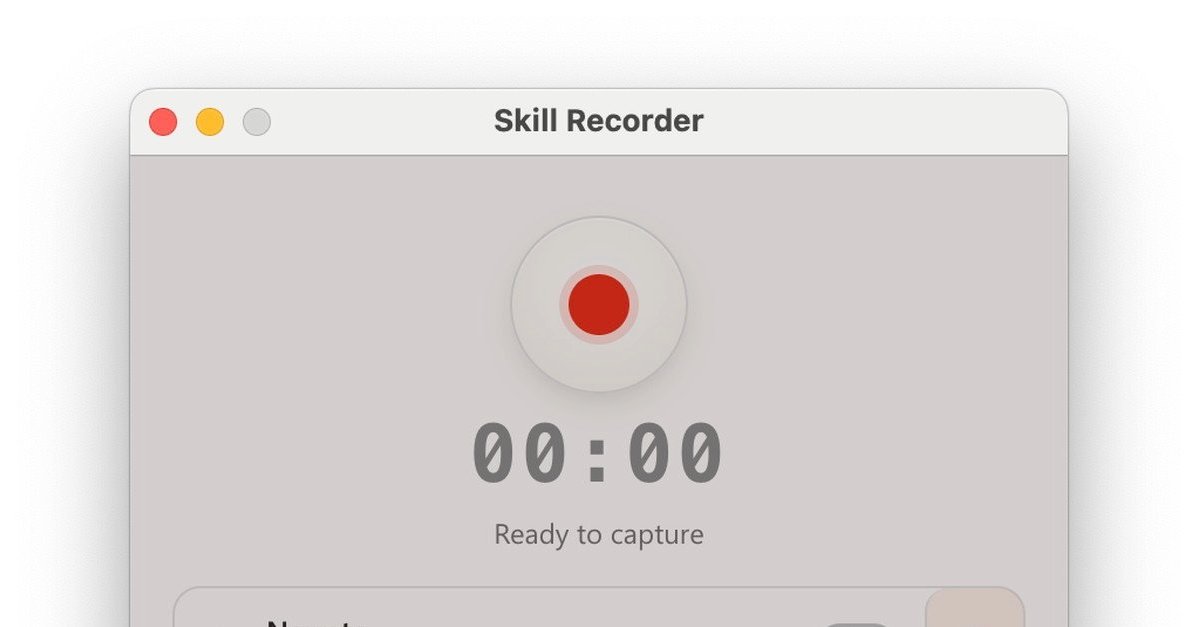
What happened
Microsoft has released Skill Recorder, a free desktop app that records PC screen operations and voice explanations, then converts them into skills for AI agents like Microsoft Copilot Cowork and Microsoft Scout. The app analyzes the recorded workflow using GitHub Copilot CLI and can generate automation based on schedules or triggers, as well as output a Markdown file called SKILL.md.
Why it matters
This lowers the barrier for building AI-assisted workflows without coding. Teams can document repetitive tasks visually and let AI agents handle them automatically — reducing manual work and freeing staff for higher-value activities.
What to watch
Skill Recorder is available on GitHub under an MIT license (supporting commercial use). It is primarily targeted at macOS and also supports Windows 11. Access requires a GitHub account with GitHub Copilot permissions. Microsoft cautions users to avoid recording sensitive information like passwords.
Summaries like this, in your inbox every morning.
Skill Recorder addresses a long-standing gap in AI automation: the ability to teach AI agents how to perform tasks by example rather than explicit programming. By recording screen operations alongside voice explanations, users can encode procedural knowledge that GitHub Copilot CLI then analyzes and translates into executable skills. This approach democratizes workflow automation, making it accessible to non-programmers who can simply demonstrate a task.
The tool integrates with Microsoft's broader agentic ecosystem — Copilot Cowork, Microsoft Scout, and Copilot Studio — positioning it as a central mechanism for skill creation across multiple AI services. The option to export workflows as Markdown files (SKILL.md) adds flexibility for documentation and version control. Microsoft's explicit warning against recording sensitive information like passwords indicates awareness of security concerns, though users will need to exercise discipline during recording. The MIT license and GitHub distribution signal Microsoft's intent to encourage third-party contribution and adoption.
Pick your industry and the AI tools you use, and get news related to your work every day.
Free · 30 seconds with Google · unsubscribe anytimeWhat is AIToday? →
Ask AI anything about this article. The AI reads this article, earlier AIToday articles, and Wikipedia, and cites its sources. Q&As are published on this page for other readers too.
Researchers at Microsoft published a paper titled "Adoption and Impact of Command-Line AI Coding Agents: A Stu…
Meta released open weights for Muse Spark Open, an 816B-parameter model built for coding and long-running agen…

In a Zenn article, EC自動化工房 laid out a pre-generation cleanup step for product masters, adding notation rules t…

OpenAI announced GPT-6 Sol / Luna in September 2026, and the notable change was not the top model's performanc…
Three one-line requests and three requests with written completion criteria to Claude Code produced functional…
A five-person team running a Claude Code-based development setup split each decision record's reason into 推奨理由…

