What happened
Google has updated Managed Agents in the Gemini API to run Gemini 3.6 Flash by default, introduced environment hooks that let developers block or audit tool calls inside the sandbox, and added budget controls (via max_total_tokens), scheduled triggers, and free tier access.
Why it matters
Developers can now prevent runaway costs on multi-turn autonomous tasks by capping token consumption; hooks enable production validation pipelines (like image verification for financial decks) to run directly in the sandbox rather than externally. Free tier access lowers the barrier for teams experimenting with agentic workflows.
What to watch
When an agent reaches its max_total_tokens limit, execution pauses safely and you can resume by passing previous_interaction_id with a fresh budget. Scheduled triggers let agents run recurring tasks autonomously on a cron schedule, reusing the same sandbox so files persist across runs.
Summaries like this, in your inbox every morning.
Managed Agents in the Gemini API have evolved from a foundational capability into a production-grade system addressing real operational concerns: cost predictability, security validation, and autonomous scheduling. The introduction of environment hooks directly responds to a concrete use case—Offdeal, an AI-native investment bank, needed to verify financial deck assets (company logos) at pixel-level quality inside the sandbox rather than externally. With hooks, Offdeal's Archie AI analyst can now fetch candidates, enforce quality checks, and use Gemini vision to validate each logo without leaving the managed agent sandbox.
The shift to Gemini 3.6 Flash as the default reflects both model maturity and user preference for speed and cost in agentic workflows. Budget controls (max_total_tokens) acknowledge that multi-turn autonomous loops can accumulate tokens unpredictably; the ability to pause safely and resume with a fresh budget preserves debugging and iteration patterns without surprise bills. Free tier access expands the constituency: teams can now prototype agentic workflows on API keys without enabling billing, lowering friction for early adoption.
Scheduled triggers and the Environments API round out the package, positioning Managed Agents as a self-contained worker system that can run recurring tasks, persist state across runs, and be managed programmatically—all within an isolated cloud sandbox, with no external orchestration required.
Pick your industry and the AI tools you use, and get news related to your work every day.
Free · 30 seconds with Google · unsubscribe anytimeWhat is AIToday? →
Ask AI anything about this article. The AI reads this article, earlier AIToday articles, and Wikipedia, and cites its sources. Q&As are published on this page for other readers too.
Circlia started a proof-of-concept for TASTE SIGNAL: visitors to Holland Village Cafe FUKUOKA taste cookies an…

In a webinar hosted by French Mathematical Society president Isabelle Gallagher, Fields Medal winner Hugo Dumi…

NVIDIA released Nemotron 3.5 Super VL, an open-weight model with 120 billion parameters that handles text, ima…

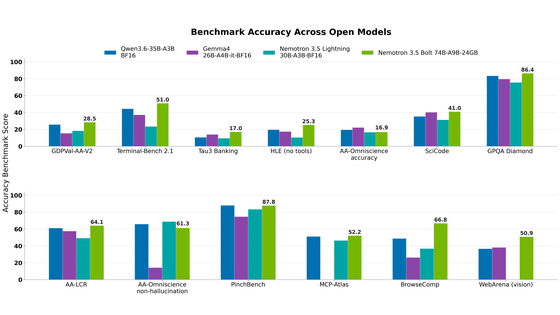
NVIDIA released Nemotron 3.5 Bolt 74B-A9B 24GB, an AI model for local agents that hits over 80 tokens per seco…
NVIDIA published a blog post titled "AI Security Is an Engineering Problem - How to Solve It at Every Layer of…

In the test, Haiku 5.5 on medium setting averaged scores close to Sonnet 5.5 on routine documents at about 1/1…