What happened
Google released Agents CLI with skills, a tool that condenses the entire lifecycle of building and deploying coding agents—from setup through governance, evaluation, and publication—into a single interface controlled by plain-English prompts.
Why it matters
Agent tooling itself is mature; the bottleneck for enterprises is now the scaffolding, deployment, security, and publishing work that traditionally requires separate consoles and configs. This consolidation means teams can move from an empty folder to a governed, published enterprise asset in one integrated workflow, potentially reducing friction and speeding time-to-production.
What to watch
The Agents CLI integrates with multiple coding agents (Claude Code, Cursor, Codex, Antigravity) and publishes to Gemini Enterprise, making it relevant for organizations already using Google Cloud infrastructure. Setup begins with a single command that injects lifecycle skills into any compatible coding agent.
Summaries like this, in your inbox every morning.
The release of Agents CLI reflects a maturation of agent development workflows. The article emphasizes that the bottleneck for enterprises is no longer building the agent itself—tooling for that is already mature—but rather the operational lifecycle that follows: scaffolding, deployment, identity and network security, evaluation, and publishing. Traditionally, each of these stages has lived in its own console and required its own configuration, fragmenting the developer experience and slowing time-to-market.
Google's approach consolidates this fragmentation by embedding the full lifecycle into the agent itself and driving each stage through natural-language prompts. The setup stage injects skills that allow a single agent to carry an idea from an empty folder through Build (local scaffolding and testing), Deploy (runtime with Sessions and Memory Bank for state management), Govern (least-privilege identity, prompt-injection screening via Model Armor, and egress controls), Evaluate (grounding and hallucination checks with prompt optimization), and Publish (registration to Gemini Enterprise). Because each stage is prompt-driven rather than config-driven, the system lowers the barrier for teams to move through the full lifecycle without context-switching to separate tools.
Pick your industry and the AI tools you use, and get news related to your work every day.
Free · 30 seconds with Google · unsubscribe anytimeWhat is AIToday? →
Ask AI anything about this article. The AI reads this article, earlier AIToday articles, and Wikipedia, and cites its sources. Q&As are published on this page for other readers too.
In Q2, billionaires or their funds sold six 'Magnificent Seven' AI stocks

Nvidia was rising early Friday, even as the wider chip sector kept falling, Barron's reported

ElevenLabs completed a $300 million employee tender at a $22 billion valuation, and co-founder Mati Staniszews…

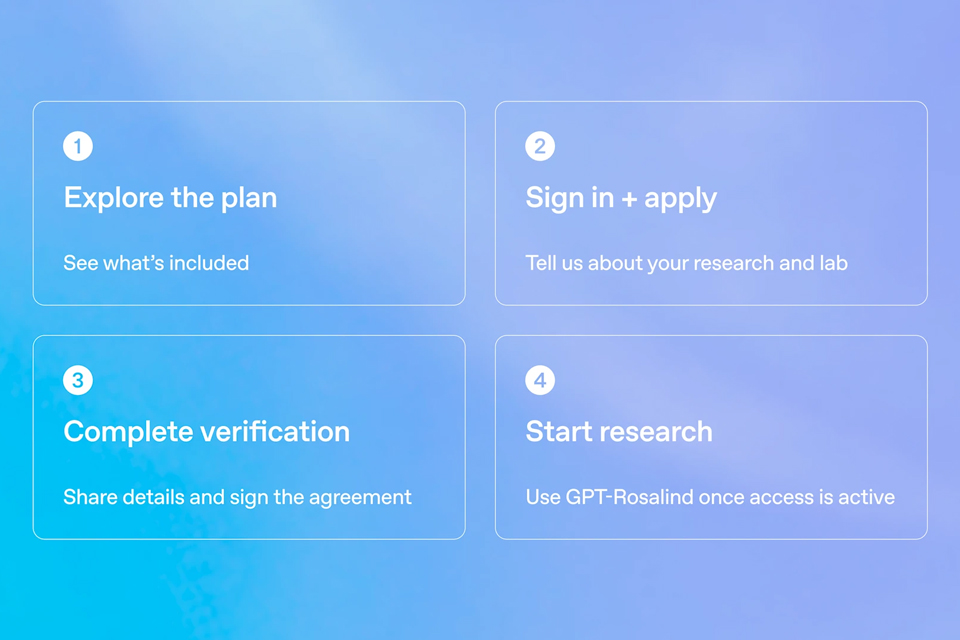
On October 15, OpenAI announced the Rosalind Academic Plan, giving approved US university labs free access to…
Neostellar Capital principal Evan Schlossman said CoreWeave's $103.7 billion in remaining performance obligati…

A Qiita article compared automated red-teaming methods for LLM apps — GCG, PAIR, and TAP — using mock implemen…


