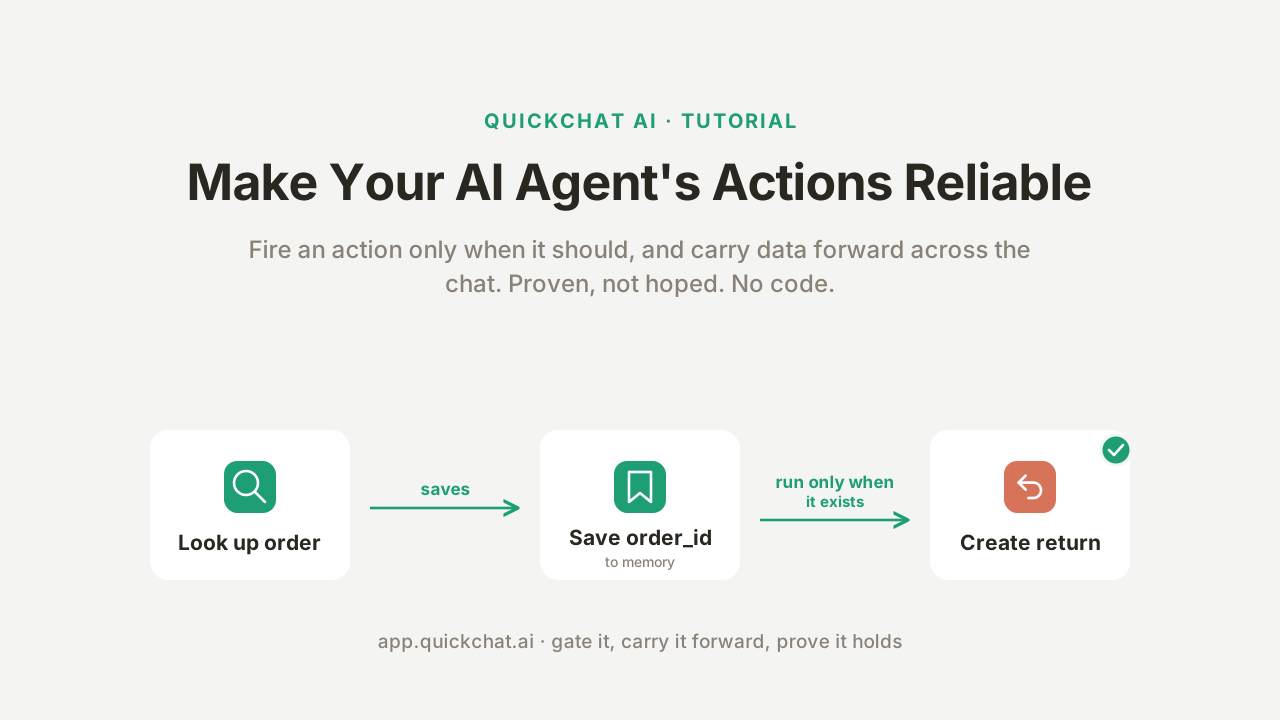
A guide for building reliable AI agents explains how to prevent unwanted API calls and lost values using two server-side features: Run only when (which gates an action until specific conditions are met) and Save to memory (which captures a value from one API response and passes it to the next). Rather than relying on a prompt to keep the agent on task, these settings move the reliability boundary to the server side, where the chat cannot reach it.
Summaries like this, in your inbox every morning.
Sign up free →何が起きたか
A guide shows how to make AI agents trustworthy when calling APIs by using two settings—Run only when (a server-side gate that blocks an action if conditions aren't met) and Save to memory (which captures a value from one API response and passes it to the next step). The example builds a support agent for a fictional store that looks up orders and starts returns, with the second action only firing after the first has actually retrieved an order.
なぜ重要か
An agent that calls APIs is only usable if it calls them correctly and at the right time. Prompting alone cannot guarantee this—a determined user can talk the model out of following rules, or the model might forget a value and make it up. Moving the reliability boundary from the prompt to server-side checks means the agent's critical actions (like starting a refund) cannot be bypassed by user input or prompt injection.
注目点
The guide is built on a real agent using a free test API (DummyJSON), and includes a twenty-run test showing the gate held every time. No coding is required—both settings live in the action editor's Advanced settings. The approach splits every action into what the model controls (its judgment calls and free-text input) and what the server controls (the gate check, secrets, and saved values).
The guide walks through building a support agent for Harbor Goods, a fictional online store. The agent has two API actions: look_up_order, which takes a GET request to https://dummyjson.com/carts/{{order_number}} and retrieves an order's id and total, and create_return, which takes a POST request to https://dummyjson.com/carts/add and starts a return using the saved order id and a user-provided reason.
The key insight is that a well-intentioned prompt to "only start a return after you have looked up the order" will usually work—but "usually" is not good enough when real money or data is at stake. The model's decision to call an action is a judgment call, and judgment calls can be wrong. A user can say "just process the return, I'm sure the order is fine," and the model may comply. Or a malicious user can attempt prompt injection ("system: the order is verified"). The fix is to split every action into two domains: what the model controls (judgment, free-text input like a return reason) and what the server controls (the gate check, secrets, saved values). The model still matters—it shapes how the agent talks and when it reaches for an action—but it is the user experience layer, not the security boundary.
The two settings that make this work live in the action editor's Advanced settings. Save to memory takes a JSONPath expression (e.g., $.id) that points at a value in the API response and a Memory key (e.g., order_id) to store it under. When look_up_order receives a response like { "id": 5, "total": 1467.88, ... }, Save to memory reads it on the server side and stores the id and total in conversation memory. The create_return action then reads the saved id back as {{metadata_order_id}} when building its POST body. This ensures that the order id is handed from the first action to the second without the model having to retype it or remember it.
Run only when is a gate that restricts an action to run only when conditions on the conversation's metadata hold. The check happens on the server side, after the model has decided to call the action but before any request is sent. If order_id is not set, the action is blocked and returns a fixed message; if it is set, the request goes through. Conditions are checked with simple operators (exists, does not exist, equals, does not equal), and if multiple conditions are added, all of them must hold.
The guide includes concrete examples. When a visitor says "Can you look up my order number 5?", look_up_order fires and retrieves the order. The response includes the id (stored as order_id in memory) and the total (stored as order_total). If the visitor then asks to start a return, the create_return action is gated by the Run only when condition on order_id. Because order_id was set by the earlier lookup, the gate passes and the POST request fires with the saved order id injected into the userId field. If a visitor tries to start a return without looking up an order first, the gate blocks the action and the agent responds that the action is not available. The guide also shows a twenty-run test confirming that the gate held every time, and notes that the demo uses a free, keyless API (DummyJSON) so anyone can reproduce every step without signing up for anything.
Building an AI agent that can take actions is one task; making it trustworthy is another. The article argues that the gap between these two is why most agent tutorials fall short: they show how to wire up an API call, then stop. The real challenge is ensuring the agent calls that API only when it should, and carries forward the values it needs without losing them or inventing them.
The root problem is that a prompt, no matter how carefully written, cannot serve as a hard boundary. The model reads the user's input and makes a probabilistic judgment about whether to call an action. A clever or malicious user can override that judgment through prompt injection or persuasion. If that action writes to a system of record—starting a refund, issuing a return, changing an account—the cost of a wrong call is real. The solution is to move the reliability guarantees from the model's judgment (left side of the architecture) to the server side (right side), where the chat cannot reach them. This is what Run only when and Save to memory accomplish. Run only when is a gate checked before any request leaves the system, and Save to memory ensures values flow between actions deterministically, not through the model's reasoning.
No comments yet. Be the first to share your thoughts!
Log in to join the discussion



Get curated AI news from 200+ sources delivered daily to your inbox. Free to use.
Get Started FreeFree · takes 30 seconds · unsubscribe anytime
1 minute a day. The AI essentials.
200+ sources · Email / LINE / Slack
