What happened
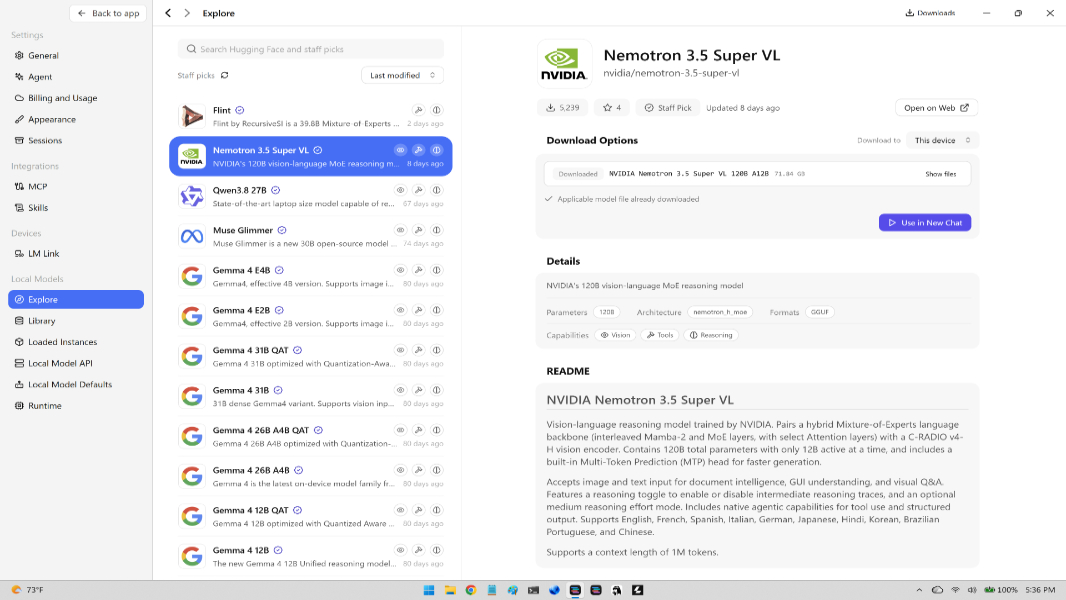
Testing local AI on RTX Spark, Thurrott.com found Windows 11 keeps no shared model store or middleman service, so a model downloaded in one app—such as Hermes or LM Studio—is invisible to the next app and must be downloaded again.
Why it matters
In practice, experimenting with different apps and models means repeated downloads, and the resulting duplicate files can take over storage as those files grow larger.
Summaries like this, every morning.
Thurrott.com's testing on RTX Spark points to a mismatch between how Windows treats files and how local AI apps treat models. On Windows, a downloaded DOCX file is simply a file in the file system, available to the system and all apps and services, not sandboxed or isolated. Local AI models are also just files sitting in the file system, and Microsoft claims there are over 40 local AI models on every Copilot+ PC, but they are hidden somewhere and updated by Windows Update or the Microsoft Store. Whatever apps Microsoft makes available know how to find those models, but there is no formal storage location or system service acting as a middleman. As a result, a model downloaded in one app—Hermes, LM Studio, Clairvoyance, Windows Llama, or another—is not visible to a different AI app, so the same model is downloaded twice. That duplication can become problematic as model sizes balloon, especially on RTX Spark computers that can have up to 128 GB of RAM and allocate most of it to the GPU that interacts with those models. The author notes that experimenting with different AI apps, runtimes, and models means moving back and forth and re-downloading, and the digital detritus of this activity can start taking over the PC's storage. Cleaning house would be easier if the models' location were known, and it is possible (likely?) that uninstalling an app does not remove the models it downloaded.
Pick your industry and the AI tools you use, and get news related to your work every day.
Free · 30 seconds with Google · unsubscribe anytimeWhat is AIToday? →
Ask AI anything about this article. The AI reads this article, earlier AIToday articles, and Wikipedia, and cites its sources. Q&As are published on this page for other readers too.
S&P Global reports Q3 on Oct

Tempus AI expanded its drug development collaborations with Bristol Myers Squibb and Pathos AI

Vertiv and NVIDIA presented at GTC on how they can halve AI factory deployment time

Danaher (DHR) received FDA clearance for AI-powered atrial fibrillation detection
CVS Health appointed Jack Hanlon, who previously held senior data and analytics roles at Meta and Reddit, as s…
T-Mobile US completed what Nvidia described as the first AI-RAN call on a live commercial network, unveiled at…