What happened
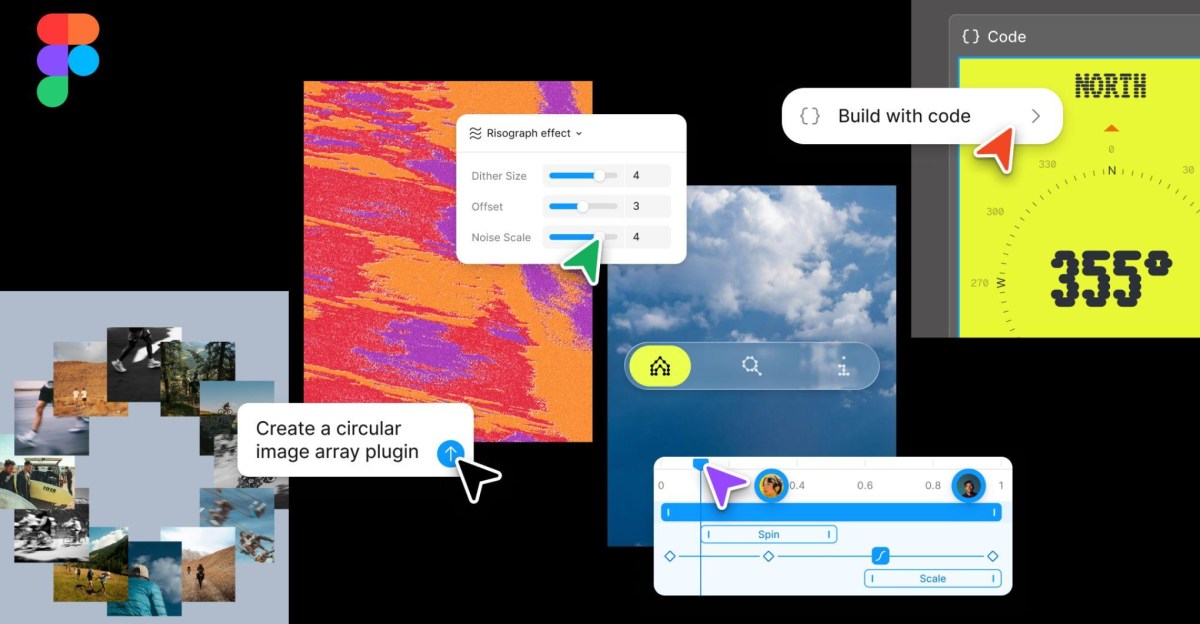
Figma announced new product features at its Config conference, including code layers that let users edit code directly on the design canvas, AI-generated motion graphics and transition effects created by describing them to a chatbot, and shader effects built by prompting the tool. The company also introduced Figma Weave workflows with 20 plus integrated tools, and generative plugins that let teams build custom, reusable tools without requiring developer setup or technical skills.
Why it matters
These updates aim to reduce tedious, repetitive work for design and development teams by letting them automate tasks with AI and collaborate in a single place. Code layers and motion tools connected to design systems could streamline the handoff between designers and developers, potentially reducing back-and-forth cycles. The ability to turn repetitive work into reusable team skills suggests Figma is positioning itself as a full-stack tool for both design and coding.
What to watch
A full integration between Figma and Figma Weave is expected later this year, which would deepen the AI capabilities available directly on the canvas.
Summaries like this, in your inbox every morning.
Pick your industry and the AI tools you use, and get news related to your work every day.
Free · 30 seconds with Google · unsubscribe anytimeWhat is AIToday? →
Ask AI anything about this article. The AI reads this article, earlier AIToday articles, and Wikipedia, and cites its sources. Q&As are published on this page for other readers too.
Google Deepmind's Gemini 4 Argon scored 97.5 percent on ARC-AGI-3 at a cost of $4,800, second only to GPT-6 As…

Cammarata reinterprets InceptionV1's cat-car neuron as a V-shape detector, not two unrelated concepts

Microsoft's Surface Laptop Ultra, using Nvidia's RTX Spark platform, starts at $2,599 (up to $5,899)

Meta's new commercial terms, effective October 30th, appear to let it crawl and train AI on content from websi…

Vercel data published Thursday shows TypeSafe AI's Jev, a lightweight decision model for choosing among predet…

Reflection AI introduced Beam, an open-weight model for agentic coding and long-horizon tasks, with 501 billio…