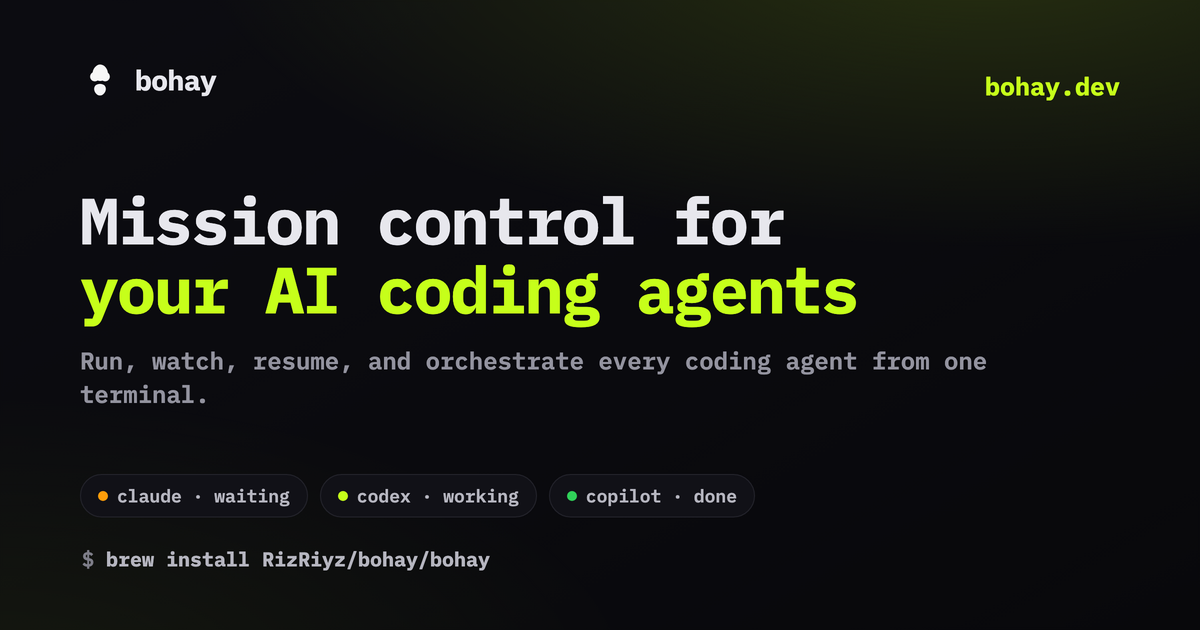
Bohay is a free, open-source terminal interface that consolidates control of multiple AI coding agents—such as Claude Code and GitHub Copilot—into one workspace. It lets developers see what each agent is doing in real time, picks up exactly where they left off after closing the terminal, prevents file conflicts when multiple agents work on the same project through isolated git worktrees, and supports remote operation over SSH. The tool works with nine major AI agent platforms and is available via package manager or shell install.
Summaries like this, in your inbox every morning.
Sign up free →What happened
Bohay, a free open-source tool licensed under AGPL-3.0, launched as a unified terminal interface to run, monitor, pause, and coordinate multiple AI coding agents (including Claude Code, GitHub Copilot, Cursor, and others) in a single workspace without switching windows.
Why it matters
Developers using AI agents often struggle to track multiple agents, preserve session state across restarts, and avoid file conflicts when agents work on the same project. Bohay addresses these friction points by displaying live agent status in one sidebar, automatically resuming chat history after restart, and isolating concurrent agent work through git worktrees and dependency tracking—letting teams of agents collaborate without manual coordination or data loss.
What to watch
The tool includes a macOS-native notch panel (bohay-notch) for monitoring agents from the MacBook notch, integrates with nine major AI agent platforms with zero setup required, and supports remote sessions over SSH. Installation is available via shell script, Homebrew, or Cargo; the full code is open on GitHub for inspection and contribution.
Bohay is a free, open-source terminal application (licensed under AGPL-3.0) designed to serve as a unified control center for AI coding agents. The tool can be installed via a shell script (`curl -fsSL https://bohay.dev/install.sh | sh`), Homebrew (`brew install RizRiyz/bohay/bohay`), Cargo, or on macOS through an alternative quarantine-free Homebrew cask installation. A live demo is available on the project website.
The core interface is built around a single terminal with a sidebar that displays the real-time status of every running agent—whether it is waiting for user input, actively working, finished, or idle. A key design detail is that an agent only registers as working when it is genuinely executing, so user typing or CLI startup sequences do not cause false busy signals. An optional retro chime alerts users when an agent finishes or needs input. Users can click any pane's title to see the full, unabbreviated command the agent is executing, inspect the files an agent has touched through a file tree (tinted by git status), and open those files in a built-in fast viewer or in an external editor like vim or nano. All session state—panes, tabs, and layout—persists across terminal closes; when the terminal reopens, every agent's chat history reloads automatically without requiring session flags or manual context restoration.
For teams of agents working on the same repository, Bohay provides an orchestration board where users can add tasks with dependencies. Each task gets an isolated git worktree and its own pane. Path leases prevent multiple agents from being assigned to edit the same files simultaneously. A quality gate (a user-defined test command) must pass before a task transitions to done, and finished branches merge through a dedicated worktree without touching the user's primary checkout. A built-in git tab lets users browse commits, branches, pull requests, and issues without leaving the terminal; pull requests can be opened or merged directly from Bohay. Remote sessions are supported over plain SSH, with no port forwarding required and responsive interactive feel.
On macOS 15+ with Apple silicon, users can install an optional native notch panel called bohay-notch (via `brew install --cask --no-quarantine RizRiyz/bohay/bohay-notch`), which mirrors every agent into the MacBook notch for unobtrusive monitoring and approval of agent requests without breaking focus. Bohay integrates with nine major AI agent platforms—Claude Code, GitHub Copilot, Cursor, Codex, opencode, Pi, Kimi, Amp, and Grok—as well as Qwen, Gemini, Aider, and Droid. A full matrix of platform compatibility, including session-resume capability and event-reporting support, is available on the project documentation. The code is fully open on GitHub, and the creators encourage users to file issues, read the implementation, or submit pull requests.
Bohay emerges as a response to a concrete friction point in AI-assisted development: as developers increasingly delegate coding tasks to multiple agents, the lack of unified visibility and coordination has become a bottleneck. The tool addresses this by collapsing the multi-window problem into a single terminal interface where status is always visible and trustworthy (an agent only counts as working when truly active, not when the user is typing or a CLI is starting). This design choice reflects a deeper principle: that coordination overhead should not grow with the number of agents in play.
The orchestration model—using git worktrees to isolate concurrent work and blocking merges until tests pass—is borrowed from mature team development practices but applied to agent-agent collaboration. By making session persistence automatic and file-change visibility immediate (through git status coloring and a live file viewer), Bohay lowers the cognitive load of context-switching between agents and human work. The support for remote sessions over SSH with zero port-forwarding setup removes another operational barrier, letting developers monitor and control agent work from any machine.
AI-summarized, only the topics you pick — one digest a day via Email, Slack, or Discord.
Free · takes 30 seconds · unsubscribe anytime
No comments yet. Be the first to share your thoughts!
Log in to join the discussion

Get curated AI news from 200+ sources delivered daily to your inbox. Free to use.
Get Started FreeFree · takes 30 seconds · unsubscribe anytime
1 minute a day. The AI essentials.
200+ sources · Email / LINE / Slack
