What happened
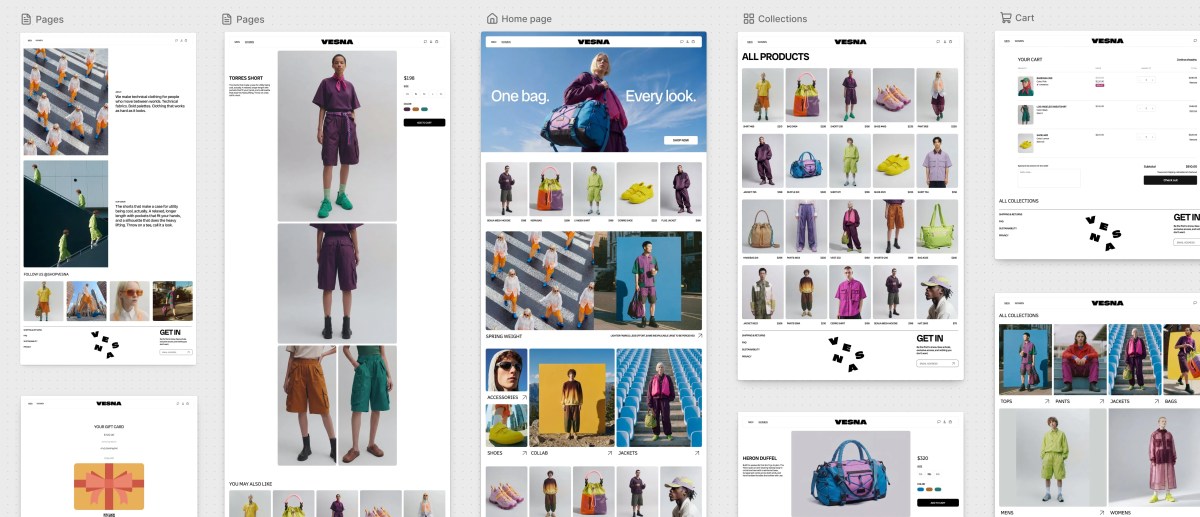
Shopify introduced Canvas on Thursday, letting merchants build their store by chatting with its AI agent Sidekick. Canvas renders the store's real code, not a preview, so merchants can test interactivity and view different screen sizes.
Why it matters
Deeper store customizations previously required editing code or hiring a developer, so Canvas could make selling online more accessible to merchants without that budget, the company said.
What to watch
The launch is early — third-party theme support, app blocks, markets, translations, rollouts, and theme updates are not included, and Canvas is desktop-only. Shopify told TechCrunch it plans to add these over time.
WHO IT HITSSmall and mid-sized merchants who want customized storefronts but lack the budget for developers or the time to learn code are the clearest beneficiaries, though the launch's initial limits may constrain them in practice.
Summaries like this, in your inbox every morning.
Shopify already offered a no-code builder before Canvas, but it worked by rearranging modular sections and blocks within a chosen theme. Going deeper meant editing code or bringing in a developer. Canvas changes that by putting Sidekick, an AI agent Shopify had already used for writing code, building apps, and customizing themes, at the center of the store-building process. To make this work, Shopify gave Sidekick the ability to work directly with the theme's files and simplified the theme architecture so the store's structure, logic, and design would be easier for Sidekick to understand and change.
Canvas also reflects a broader movement toward building websites without coding directly. It joins AI-powered site-building tools from Wix, Squarespace, Webflow, and Framer, alongside vibe-coding platforms like Lovable and Replit. What distinguishes Canvas, per Shopify, is that it renders the real code behind the store rather than a static preview, so merchants can test full interactivity and animation and see pages across screen sizes.
The early limits are the open question. Third-party theme support, app blocks and extensions, markets, translations, rollouts, and theme updates are all absent from the initial launch, and Canvas is desktop-only. Shopify says these will come over time, but until then the product's reach among merchants with complex storefronts may be narrower than its ambition. Whether Canvas becomes a genuine path for sellers without developer budgets likely hinges on how quickly those gaps close.
Pick your industry and the AI tools you use, and get news related to your work every day.
Free · 30 seconds with Google · unsubscribe anytimeWhat is AIToday? →
Ask AI anything about this article. The AI reads this article, earlier AIToday articles, and Wikipedia, and cites its sources. Q&As are published on this page for other readers too.
Anthropic PBC reportedly aims to begin marketing its IPO the week of Nov

OpenAI confirmed it dismissed three safety researchers for violating policies on accessing and handling sensit…

Anthropic published best practices for human-AI agent teams, based on an interview with Slack CPO Jamie DeLang…

OpenAI's August 26 postmortem says its internal cybersecurity evaluation gave a research model "ExploitGym" ta…

Anthropic said it made the web service claude.ai and its desktop app about 3 times faster in 2 weeks, and that…

On October 1, OpenAI updated ChatGPT's release notes with shopping features — a 'try on' button on product car…