What happened
OpenAI refreshed Codex CLI with a full-screen interface, /agents to see and jump between running tasks, /fork for parallel sessions on the same context, and /voice for spoken instructions.
Why it matters
Developers who work entirely in the terminal get one place to run and track several coding tasks at once, and to keep long sessions readable, rather than switching tools.
What to watch
Codex Cloud access is rolling out first to ChatGPT Plus and Pro subscribers, with Business, Enterprise, Edu and Healthcare workspaces to follow; the test is whether cloud tasks stay usable once a laptop is closed.
WHO IT HITSDevelopers and engineering teams that run OpenAI's Codex from the command line gain parallel task management and voice input, while teams on ChatGPT Business, Enterprise, Edu or Healthcare workspaces will have to wait for Codex Cloud access to reach them.
Summaries like this, in your inbox every morning.
The refresh lands in a terminal tool OpenAI says it is continuing to invest in for developers who live in the command line, and the additions point in one direction: longer, more parallel work sessions. Older history now loads as you scroll past the terminal's scrollback limit, and the composer stays pinned so you can type without scrolling back. The /agents and /fork commands are the other half of that idea, letting a developer see what is running and branch a conversation into a separate session that keeps the same context.
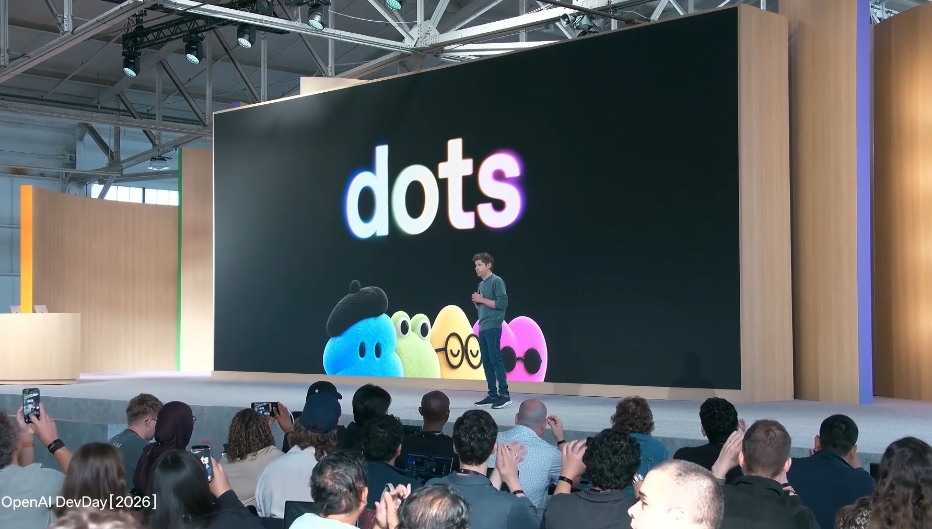
Codex Cloud, announced at OpenAI DevDay 2026, extends the same work beyond the local machine. It checks GitHub for what it needs and builds a cloud environment, after which each launched task gets its own dedicated virtual machine. Changes not yet pushed to a connected GitHub repository are held with the task, so reopening it later from a phone or browser does not lose them, and dependency caches survive background updates that keep the repository current.
The practical question is access. Codex Cloud is being offered progressively to ChatGPT Plus and Pro subscribers, with Business, Enterprise, Edu and Healthcare workspaces to follow, so teams in those workspaces may see less of the benefit at first. Whether cloud-hosted tasks that survive a closed laptop become the default way developers work is likely to hinge on how quickly that rollout reaches them.
Pick your industry and the AI tools you use, and get news related to your work every day.
Free · 30 seconds with Google · unsubscribe anytimeWhat is AIToday? →
Ask AI anything about this article. The AI reads this article, earlier AIToday articles, and Wikipedia, and cites its sources. Q&As are published on this page for other readers too.
DeepSeek is bringing more of the software it uses to develop its AI models to Huawei Technologies' Ascend 950…

Among respondents at companies with 1,001+ employees, 50.0% said AI is used company-wide, and 46.0% flagged AI…

Nvidia released the Open Agent Safety Platform on September 28, days after CEO Jensen Huang called warnings fr…
OpenAI launched Dots — agents on GPT-6 Astra, each running on its own cloud computer and connecting to 4,000+…

OpenAI released Dots, an always-on agent running autonomously in the cloud on GPT-6 Astra, connecting to over…
OpenAI announced dots, an always-on agent running GPT-6 Astra with its own cloud computer and browser, able to…