
What happened
A Zenn walkthrough lays out four required items — a PC, a paid Claude plan from $20 a month, VS Code, and Claude Code — then installs Claude Code and builds a single-file ToDo list app.
Why it matters
The guide frames the person's job as deciding what to build and checking it, with Claude Code creating and fixing files directly; it advises running the app in a browser rather than trusting a "done" message.
Summaries like this, every morning.
The guide draws its contrast from how chat AI is normally used. With a browser chatbot, the person copies code into files, pastes error messages back, and the AI only sees the pasted fragment. Claude Code, described as a coding agent, instead creates and edits files itself, runs the project to fix errors, and reads the files in the folder. That is why the guide recommends VS Code less for writing code and more for inspecting what the AI produced.
The practice section is built around verification. The sample ToDo list is deliberately one HTML file with no server or database, so it can be double-clicked open in a browser right after creation. The author calls checking the app yourself, rather than accepting the AI's "done" report, the most important habit. The troubleshooting table traces common failures to causes: a terminal opened before installation, running commands in Command Prompt instead of PowerShell, staying on the free plan, or making requests too broad. For broad requests, the fix is to rewind and ask again with a narrower scope. As experience grows, running /init creates CLAUDE.md, which Claude Code reads before each task. The author, on Windows 11 with PowerShell, found that writing a rule there to run lint, type checks, and builds on every change paid off, because Claude Code began catching errors itself before reporting completion.
Pick your industry and the AI tools you use, and get news related to your work every day.
Free · 30 seconds with Google · unsubscribe anytimeWhat is AIToday? →
Ask AI anything about this article. The AI reads this article, earlier AIToday articles, and Wikipedia, and cites its sources. Q&As are published on this page for other readers too.
Crux Labs launched with over $6 million in funding led by Benchstrength and Misneach, with Analog Ventures and…

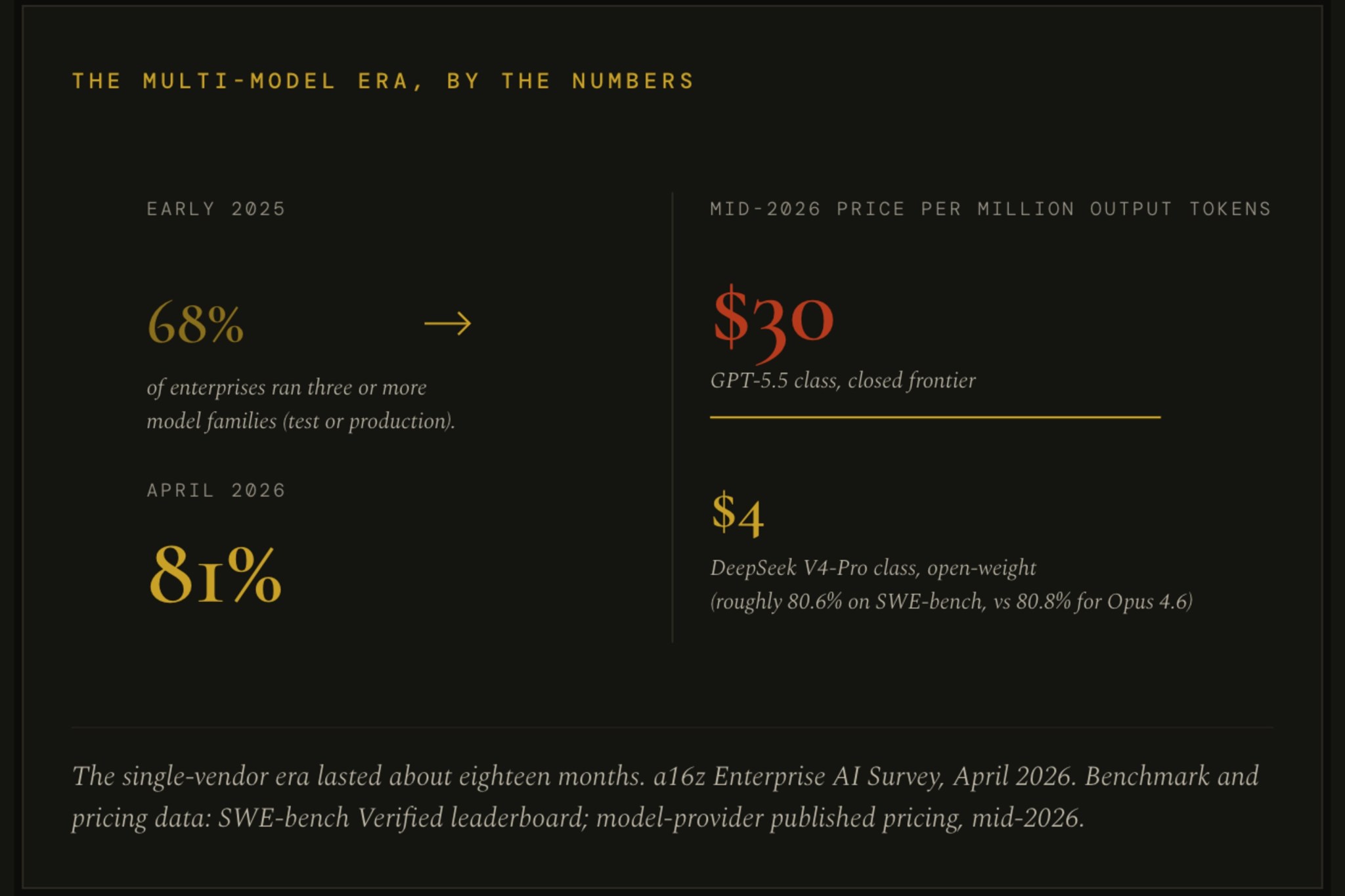
In a Fortune essay, Collective[i] argues companies should treat AI models as swappable commodities and own the…
A 31-year-old Seattle woman on epilepsy medication died in February 2026; her parents sued OpenAI in October 2…

Nscale is asking US investors for a roughly $30 billion valuation on first-half 2026 revenue of $140.6 million…

Studying the four most widely used agent frameworks, Partnership on AI researchers found key observability req…

Amazon added more than 100 new shopping-related capabilities to Alexa, including subscription and list managem…