
What happened
VS Code's documentation says prompt files are deprecated for Agent Host sessions and aren't loaded there, though they still work with the Local agent until it is removed in a future release.
Why it matters
Instructions built as prompt files only run when a person calls them with a slash command, so teams relying on them face a rewrite to keep those workflows running once that agent is removed.
Summaries like this, in your inbox every morning.
The change is less a shutdown than a staged handover. The documentation keeps prompt files working for the Local agent for now, but says that agent will be removed in a future release, which gives teams time rather than an immediate break.
The deeper shift is in how instructions reach the AI. A prompt file sits waiting until someone types its slash command, while a skill is read in stages: its name and description first, its body only if relevant, and any referenced files only when needed. That is why the author's guidance centres on rewriting the description to state when the skill applies, and on replacing ${input:...} variables, which no longer carry the same meaning.
The conversion tool aligns the file format, but the body's four review points suggest the real work is in the content. Skills that perform irreversible operations can be set to disable-model-invocation: true so they run only when a person calls them, a safeguard the author recommends applying before rolling the rest out.
Pick your industry and the AI tools you use, and get news related to your work every day.
Free · 30 seconds with Google · unsubscribe anytimeWhat is AIToday? →
Ask AI anything about this article. The AI reads this article, earlier AIToday articles, and Wikipedia, and cites its sources. Q&As are published on this page for other readers too.
DeepSeek released DeepSeek-V4.1-Flash-1017, a “minor update” that reduces task execution time and output lengt…

NEC's Kei Noguchi described how employee engagement fell to 19%, with 8 in 10 staff saying they wanted to leav…

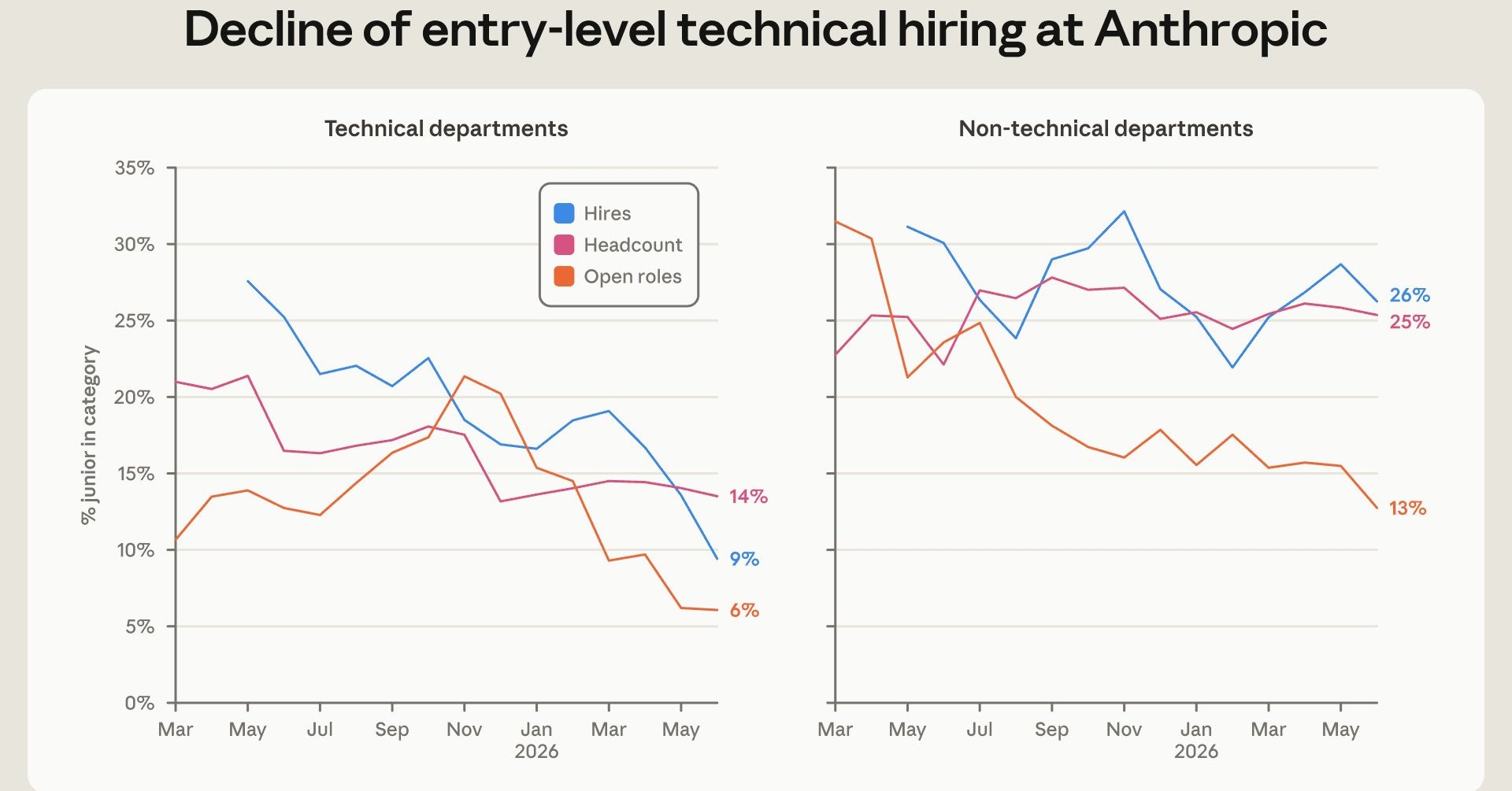
Anthropic's internal report says entry-level workers fell from 21% to 14% of technical staff, and entry-level…
Simon Willison shipped llm-echo 0.5, a debug plugin whose "echo" model involves no LLM at all and just repeats…
On October 13 (US time), Apple announced HomeView, a $299 smart home display running Siri AI and HomeKit but w…

The author detailed a Python script that uploads MP3 audio to Google Cloud Storage (GCS), transcribes it with…

