AIToday
Large Language ModelsAI Coding AssistantsOpen-Source AIHacker NewsPublished: Aug 6, 2026, 22:03 JST5 min read

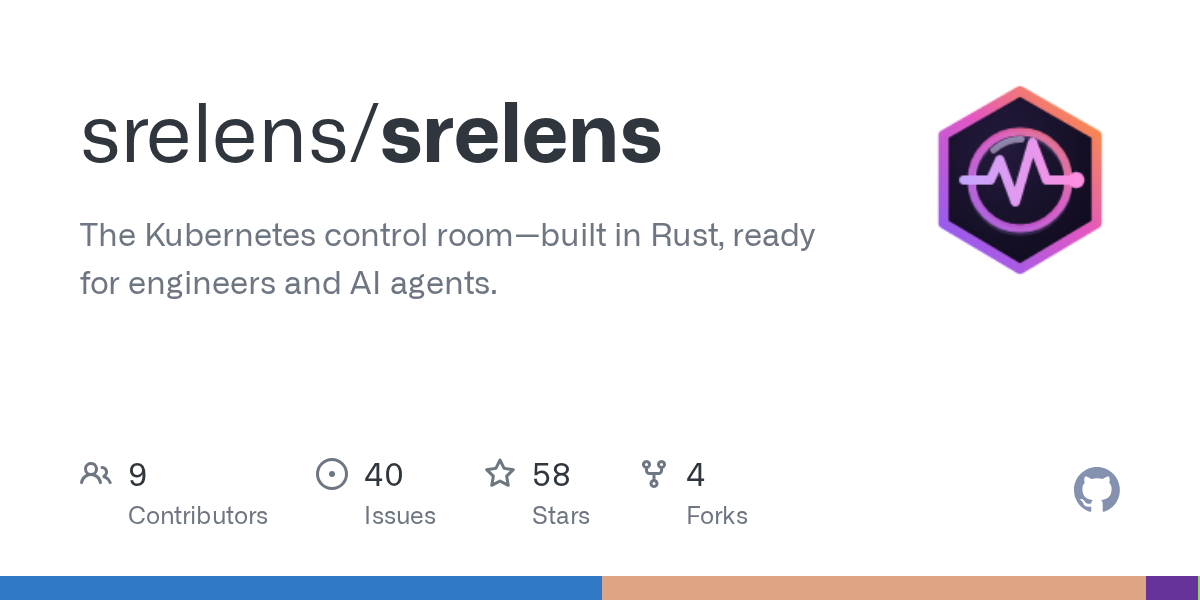
srelens—Kubernetes desktop workspace for engineers and AI agents, open source

srelens—Kubernetes desktop workspace for engineers and AI agents, open source

Key takeaway

  • srelens is a new open-source Kubernetes management tool that combines investigation, troubleshooting, and cluster operations into a single desktop workspace for engineers and AI agents.

  • Built in Rust with a React frontend and Tauri framework, it eliminates the need to jump between terminals and dashboards by centralizing resource browsing, log streaming, YAML editing, and operational commands—all authenticated via your local kubeconfig.

  • The tool is now available in beta for macOS, Linux, and Windows, with an MCP server interface that lets AI agents access the same cluster capabilities.

3 Key Points

  1. What happened

    srelens, an open-source Kubernetes desktop application built in Rust, React 19, and Tauri v2, launched in beta. It consolidates Kubernetes troubleshooting into a single workspace where engineers can browse resources, inspect logs, manage port forwards, run terminals, and take cluster actions—all from one local-first application that connects directly to cluster APIs using kubeconfig credentials.

  2. Why it matters

    Kubernetes troubleshooting traditionally requires switching between terminals, dashboards, YAML editors, and logs. srelens brings that workflow into one place, reducing context switching and making investigation faster. It also exposes its backend capabilities through an MCP (Model Context Protocol) server, meaning AI agents can access the same cluster controls as human engineers, and destructive actions are confirmation-gated for safety.

  3. What to watch

    srelens is in beta and ready for evaluation and everyday testing, though breaking changes may still occur before a stable release. Downloads are available for macOS (.dmg), Linux (.AppImage, .deb, .rpm), and Windows (.exe, .msi) from GitHub Releases. It can also run as a multi-user web server in Docker with OIDC authentication and isolated per-user environments.

In Depth

Read the full story

srelens is a Kubernetes desktop workspace designed for site reliability engineers (SREs), platform engineers, and DevOps engineers. The application consolidates the typical Kubernetes troubleshooting workflow—which spans terminals, dashboards, YAML editors, logs, and multiple cluster contexts—into a single local-first desktop environment.

The core functionality spans resource exploration, operational control, and debugging. Users can browse live Kubernetes resources (workloads, networking, storage, RBAC, custom resources) with real-time watch updates, search, and bulk actions. YAML manifests can be inspected and edited with schema validation, dry-run diffs, and server-side apply support. Pod and workload logs stream with support for post-crash logs, timestamps, container filtering, and per-source coloring. The tool supports pod exec sessions, context-scoped local terminals, ephemeral debug containers for distroless pods, and privileged node shells. Port forwarding can be created and managed across clusters, and Helm releases can be listed, installed, upgraded, rolled back, or uninstalled with a values editor. Operational actions—scaling workloads, restarting rollouts, evicting or deleting pods, managing CronJobs, and cordoning or draining nodes—are available with confirmation gates for destructive operations. A command palette (Cmd/Ctrl-K) enables keyboard-first navigation across views, contexts, and resources.

The architecture is built on Tauri v2 (a lightweight desktop framework using the operating system's WebView), React 19 for the UI, and a pure-Rust backend. The backend integrates Kubernetes client functionality via kube-rs and tokio for async operations, and includes live watches, log streaming, exec sessions, port forwarding, Helm integration, and metrics support. srelens can also run as a multi-user web server in Docker; in this mode, users authenticate via OIDC (or a local dev login for trials) and each gets a fully isolated environment built from their own uploaded kubeconfigs. Kubeconfigs and tokens are encrypted at rest under a required SRELENS_MASTER_KEY and decrypted only in tmpfs. Desktop-only actions (host shell, raw helm repo and plugin management) are restricted from the shared web surface; web users receive RBAC-scoped in-pod exec terminals instead.

The tool also includes an MCP (Model Context Protocol) server that exposes the same backend capabilities to MCP-capable AI clients. The MCP server can run over loopback HTTP (protected by a bearer token that can be revealed, rotated, or revoked) or via stdio (which requires no token). Destructive operations in headless (non-GUI) mode require process-level opt-in via flags (--mcp-allow-destructive or --mcp-allow-sensitive-reads) and an explicit _confirm field in the call. These permissions are independent, so reading a Secret does not grant permission to drain a node.

srelens is currently in beta and available for download on macOS (Apple Silicon and Intel, Developer ID signed and notarized), Linux (AppImage, .deb, .rpm with in-app updater support), and Windows (exe, msi; note that Windows may show a SmartScreen prompt while code signing is on the roadmap). The project is open source under the MIT License and is independently developed, with no affiliation to Mirantis Lens or the Freelens project. Contributions are welcome, and the project maintains a public GitHub repository with code, releases, issues, and roadmap.

Context & Analysis

srelens addresses a fragmentation problem endemic to Kubernetes operations: the typical SRE or platform engineer must context-switch between multiple tools—kubectl terminals, web dashboards, YAML editors, log aggregators, and cluster management UIs. By consolidating these workflows into a single local desktop application, the tool reduces cognitive load and speeds up investigation and remediation cycles. The architecture relies on established technologies (Rust's kube-rs for Kubernetes integration, Tauri v2 for the desktop shell, React for the UI) to ensure reliability and maintainability.

The inclusion of an MCP server is particularly noteworthy for forward compatibility. By exposing the same backend capabilities that power the desktop UI through a standardized protocol, srelens positions itself to integrate seamlessly with AI agents and LLM-based tools—a significant advantage as AI-driven operations tooling matures. The security model reflects awareness of this dual audience: the desktop version offers full functionality with local kubeconfig authentication, while the web-server variant isolates users, enforces OIDC, and gates sensitive operations like raw shell access and plugin management.

The project's beta status and explicit acknowledgment that breaking changes may occur signal a commitment to iteration over premature stability. The decision to license under MIT and publish code, issues, and roadmap publicly also lowers barriers to contribution and community feedback.

FAQ

How does srelens connect to Kubernetes clusters?
srelens uses credentials from your local kubeconfig and connects directly to Kubernetes API servers without routing cluster access through a srelens cloud service. It is local-first, meaning all cluster connections originate from your machine.
What platforms and installation options are available?
srelens is available for macOS (Apple Silicon and Intel .dmg files, Developer ID signed and notarized), Linux (.AppImage, .deb, .rpm), and Windows (.exe, .msi). It can also run as a multi-user web server in Docker with OIDC authentication.
Can AI agents access srelens cluster operations?
Yes, srelens includes an MCP server that exposes supported backend capabilities to MCP-capable clients over stdio or loopback HTTP. Destructive actions require process-level opt-in flags (--mcp-allow-destructive or --mcp-allow-sensitive-reads) and explicit confirmation.

Get the latest Large Language Models news every morning

AI-summarized, only the topics you pick — one digest a day via Email, Slack, or Discord.

Free · takes 30 seconds · unsubscribe anytime

Ask AI

Ask AI anything about this article. Q&As are published on this page for other readers too.

Related Articles

Next articleAI moderation silences marginalized groups; platforms need human oversight

The AI news that matters, in one minute each morning.

Sign up free