What happened
AWS announced a redesigned SageMaker Python SDK v3 that replaces framework-specific estimator classes with a single ModelTrainer for training and ModelBuilder for deployment. It introduces a SourceCode object that syncs your local code into a container at runtime, so you no longer need to build or maintain Docker images for each algorithm.
Why it matters
This cuts iteration time—you can change your training script and rerun without rebuilding a container. It also gives full control over the container environment, such as installing system packages or CUDA libraries, and offers one identical API across frameworks like scikit-learn, PyTorch, and even custom C++ inference binaries.
What to watch
The post includes two end-to-end examples: training a scikit-learn Random Forest on the diabetes dataset and deploying it with DJL Serving, and fine-tuning Stable Diffusion 3.5 with LoRA using Hugging Face Accelerate. You can use any container image from Amazon ECR, including your own, an AWS Deep Learning Container, or a third-party image.
Summaries like this, in your inbox every morning.
The SageMaker SDK v3 redesign marks a shift from the earlier v2 pattern, where each framework had its own estimator class and required managing container images. With the new ModelTrainer and ModelBuilder, the workflow is unified across frameworks, and code is synced at runtime via the SourceCode object. This simplifies the bring-your-own-model process, which was first introduced in 2021, by removing the need to build and maintain custom Docker images for each training run.
Practical implications include faster iteration—since code changes don't require container rebuilds—and greater flexibility in container choice, including custom images with system packages or CUDA libraries. The post also highlights the ability to use pre-built AWS Deep Learning Containers for serving, reducing operational overhead.
The examples illustrate both tabular ML and generative AI, showing the approach works across different workloads. The documentation includes prerequisites like having a SageMaker execution role and an S3 bucket, but the core value is clear: a more streamlined path from code to deployed model on SageMaker.
Pick your industry and the AI tools you use, and get news related to your work every day.
Free · 30 seconds with Google · unsubscribe anytimeWhat is AIToday? →
Ask AI anything about this article. The AI reads this article, earlier AIToday articles, and Wikipedia, and cites its sources. Q&As are published on this page for other readers too.
Circlia started a proof-of-concept for TASTE SIGNAL: visitors to Holland Village Cafe FUKUOKA taste cookies an…

In a webinar hosted by French Mathematical Society president Isabelle Gallagher, Fields Medal winner Hugo Dumi…

NVIDIA released Nemotron 3.5 Super VL, an open-weight model with 120 billion parameters that handles text, ima…

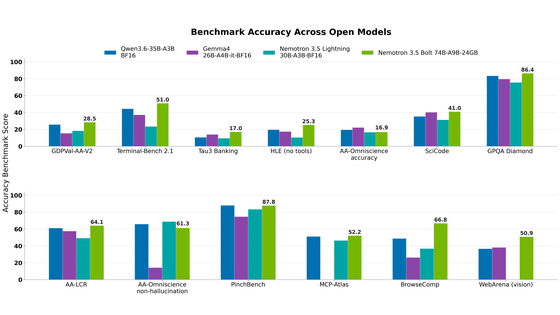
NVIDIA released Nemotron 3.5 Bolt 74B-A9B 24GB, an AI model for local agents that hits over 80 tokens per seco…
NVIDIA published a blog post titled "AI Security Is an Engineering Problem - How to Solve It at Every Layer of…
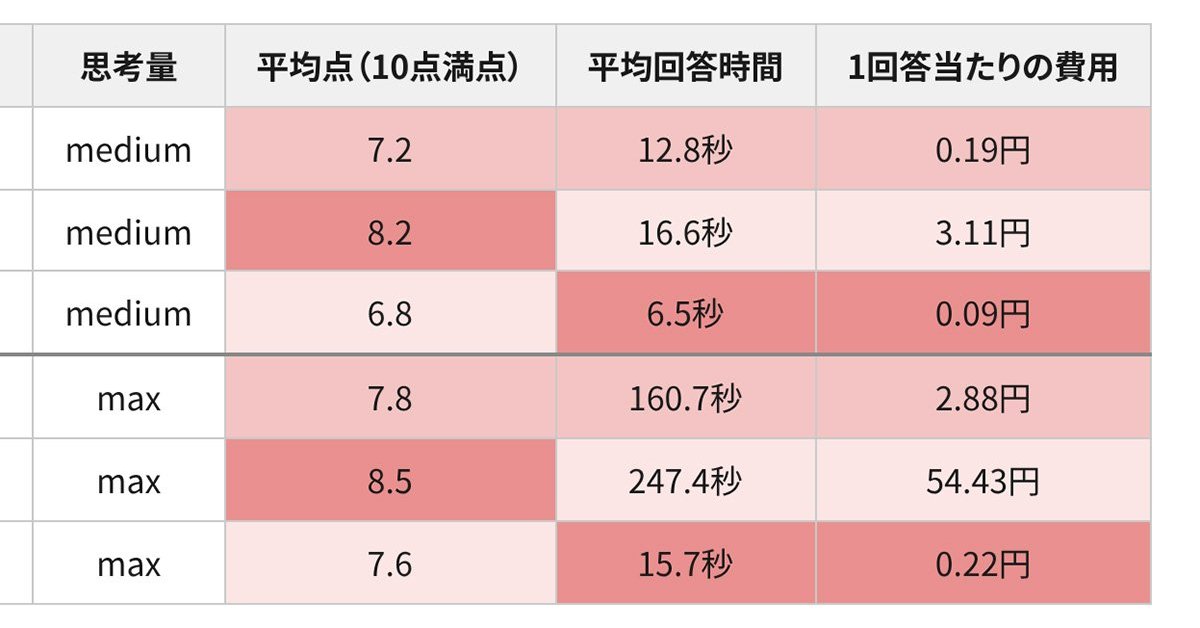
In the test, Haiku 5.5 on medium setting averaged scores close to Sonnet 5.5 on routine documents at about 1/1…