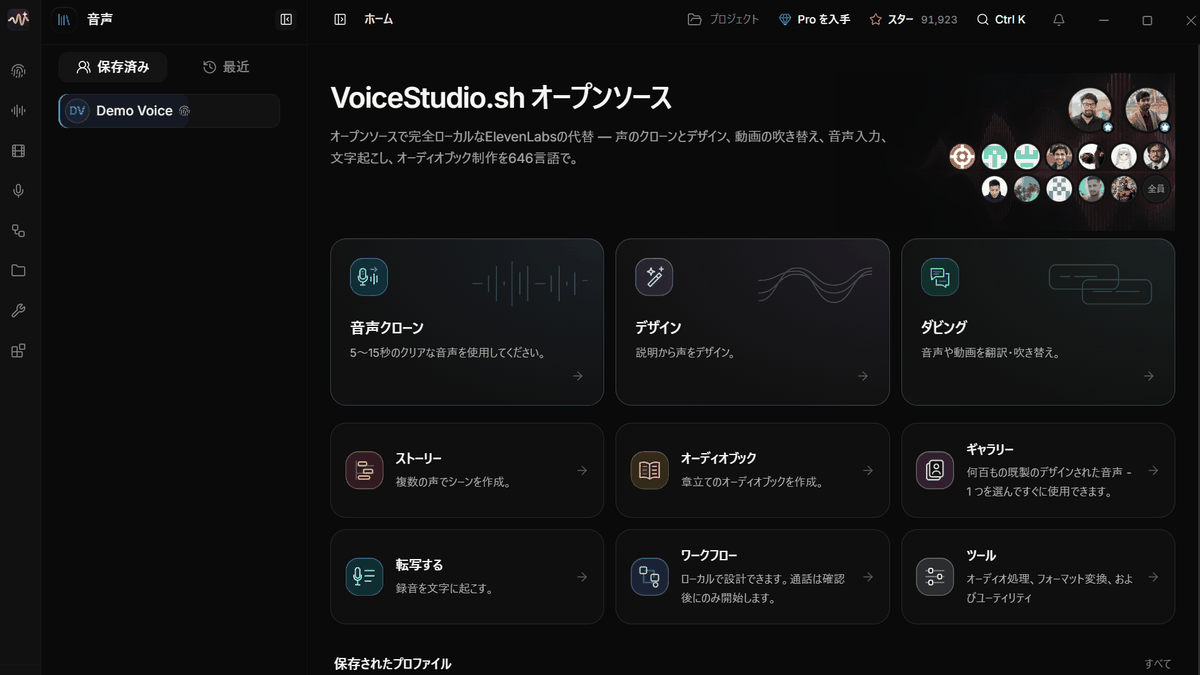
What happened
VoiceStudio, an open-source ElevenLabs alternative, runs on Windows with OmniVoice as its default engine, covering voice cloning, voice design, video dubbing, transcription, dictation and audiobooks.
Why it matters
Everything runs on the user's own PC, so teams handling sensitive recordings can generate speech without sending audio to an outside cloud service, though commercial use still requires checking each model's license.
Summaries like this, every morning.
VoiceStudio follows a familiar open-source pattern: take a capable model and wrap it in a desktop app that keeps data on the machine. Its default engine, OmniVoice, is described as a large multilingual zero-shot text-to-speech model supporting more than 600 languages, and the tool builds cloning, voice design, dubbing, transcription, dictation and audiobook creation around it rather than offering a single function.
The dubbing feature is the most involved. It transcribes the dialogue in a video, translates it and replaces it with synthesized speech, identifying different speakers so each gets a matching voice, while keeping the original background music and sound effects and exporting to MP4. Audiobook creation splits long text into chapters and can assign different voices to different characters.
There are practical limits. Voice design flexibility depends on the engine chosen, since OmniVoice exposes a fixed set of traits such as gender, age and pitch. The app and the voice models carry separate terms, so anyone planning commercial use should check both the model license and the rights to the voice material.
Pick your industry and the AI tools you use, and get news related to your work every day.
Free · 30 seconds with Google · unsubscribe anytimeWhat is AIToday? →
Ask AI anything about this article. The AI reads this article, earlier AIToday articles, and Wikipedia, and cites its sources. Q&As are published on this page for other readers too.
Google said a satellite running its TPU processor received a response from the open model Gemma 4 after a grou…
GoodRelax released gr-whiteboard (GRWB), an Apache-2.0 alpha (0.7.3) Claude Code plugin; a local whiteboard se…

rexmod, an unofficial mod not made by Superlogical, patches your local Rex so its panel shows Last Turn, Uncom…
Solène released braindead-local-intelligence, a project that runs a chat LLM, an image model, SearXNG and Open…
The team behind agent-manager, a free open-source app written in Go and tmux, says it wraps 12 CLI tools inclu…

Amazon disclosed on its third-quarter earnings call that Bedrock now offers Moonshot's Kimi K3 and Z.ai's GLM…