What happened
James Devonport built a desk e-paper display that regularly shows train departure information, using an ESP32-based Note4C and Cloudflare Workers, with Codex helping develop it.
Why it matters
The cloud fetches and lays out data and generates an image, while the device just downloads and shows it — so font or layout changes are fixed in the cloud, not by repeated firmware rewrites.
Summaries like this, every morning.
The essay's starting point is a reader's reaction to James Devonport's project: rather than immediately buying gear, the first thought was how to build it so it doesn't become a hassle later. That leads to a division of labour in which the small device is only responsible for display, while data fetching, business logic and layout all live in the cloud.
Two cautions follow from that architecture. One is about privacy: if personal data is involved, an image URL matters too, because putting a login on the page is pointless if anyone who knows the image link can view it. The other is about staleness — e-paper can keep showing a screen after power is lost, so a "site OK" message may simply be text that hasn't updated since yesterday. The essay therefore insists on always showing the update time and passing the data's own timestamp through to the final image, and on not relying on this one device for critical alerts.
The recommended build order runs from dummy data and on-screen layout on a PC, to real data with defined displays for normal, timeout and empty results, then stable fixed-image display on the device, and only last scheduled runs and retries. The writer's advice is to hold back the usual scope creep — weather, calendar, visitor counts, a voice assistant — and start with one screen and one data source, used on a desk for a few days, adding more only if it proves useful.
Pick your industry and the AI tools you use, and get news related to your work every day.
Free · 30 seconds with Google · unsubscribe anytimeWhat is AIToday? →
Ask AI anything about this article. The AI reads this article, earlier AIToday articles, and Wikipedia, and cites its sources. Q&As are published on this page for other readers too.
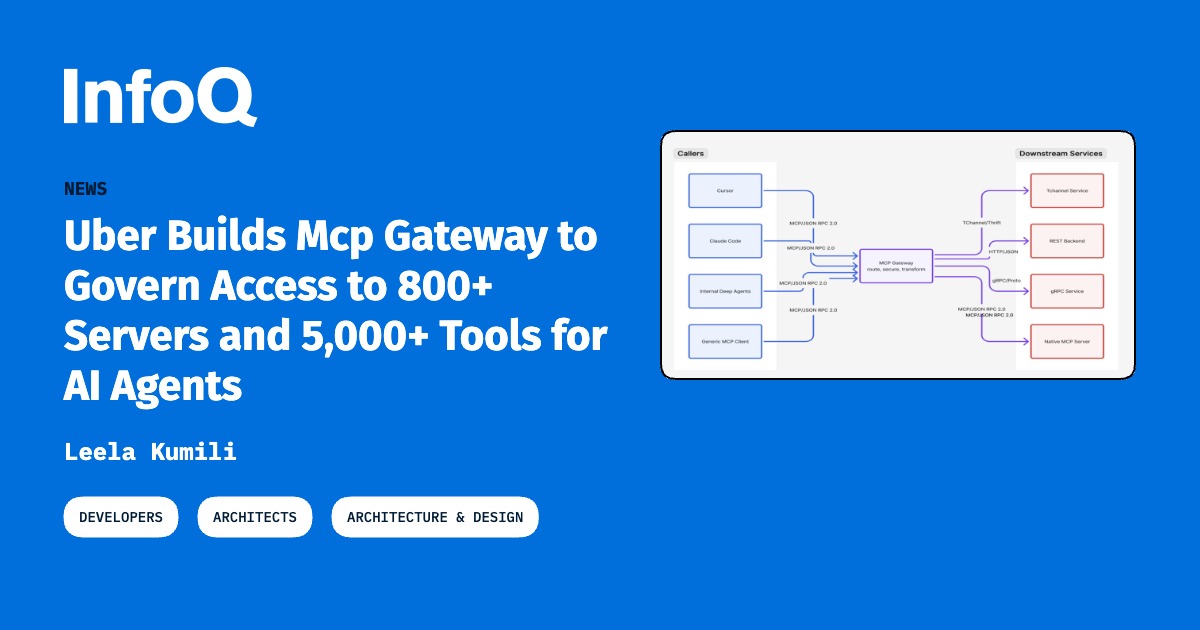
Uber built an MCP Gateway supporting more than 800 MCP servers and 5,000 tools, separating an MCP Registry con…
Per Bloomberg, internal guidelines from October restrict Anthropic's Claude Code and Microsoft's GitHub to eng…

A toB SaaS development department head describes his team's process: people review the AI's plan before implem…
Paul Bakaus released pbakaus/impeccable (Apache-2.0), a CLI detector that checks HTML/CSS against 62 determini…
ap2_mandate_verifier v1.0.0 was published as an open-source Ruby SDK, adding merchant Checkout JWT signing/ver…

An example AI report said app.env, build/, and debug.log were excluded