What happened
In cmux (version 0.64.25), the shell environment includes a cmux preload file in NODE_OPTIONS; once that file disappears, node will not start at all, breaking npx wrangler and custom node scripts.
Why it matters
Because open terminals keep the environment variable from launch time, a missing preload file can silently halt every node-based task in that window, including wrangler deployments and custom scripts.
What to watch
The fix is to drop NODE_OPTIONS only when calling node — inline, via env -u, or, in zsh, as a function since zsh does not split a command stored in a variable. Watch whether the author pins down exactly when the preload file is deleted.
WHO IT HITSDevelopers and small teams running Claude Code inside cmux who use node-based CLIs like npx wrangler or custom conversion scripts may see those commands fail without an obvious cause until NODE_OPTIONS is cleared.
Summaries like this, in your inbox every morning.
The author switched from a regular terminal to cmux in mid-August and now runs Claude Code per project, side by side with a browser pane. As of writing, a single window holds 16 terminals and 3 browsers. The piece deliberately skips the convenience story and lists three things that actually went wrong.
The first two problems share a pattern: cmux alters the shell environment and how file references are resolved, so assumptions carried over from a normal terminal break. The preload file in NODE_OPTIONS is harmless until it vanishes; long-lived terminals keep the value from launch time, so a node call fails with no obvious link to cmux. Cmd+click surfaces a similar mismatch — a Markdown file opens in cmux's built-in viewer rather than the editor, and relative paths written by Claude Code are resolved against the terminal's current directory, not the file's real location.
The third workaround is the one the author rates highest: writing a project workspace into cmux.json's actions, with a Claude Code pane and an admin-screen browser pane split evenly. Selecting it from the "+" menu starts Claude Code in the project directory with the admin screen beside it, and a saved layout can be exported back into that file. Whether this holds up hinges on how often the preload file is found to disappear and whether pins like full paths in Claude Code's memory are enough to keep Cmd+click usable.
Pick your industry and the AI tools you use, and get news related to your work every day.
Free · 30 seconds with Google · unsubscribe anytimeWhat is AIToday? →
Ask AI anything about this article. The AI reads this article, earlier AIToday articles, and Wikipedia, and cites its sources. Q&As are published on this page for other readers too.
DeepSeek is bringing more of the software it uses to develop its AI models to Huawei Technologies' Ascend 950…

Among respondents at companies with 1,001+ employees, 50.0% said AI is used company-wide, and 46.0% flagged AI…

Nvidia released the Open Agent Safety Platform on September 28, days after CEO Jensen Huang called warnings fr…
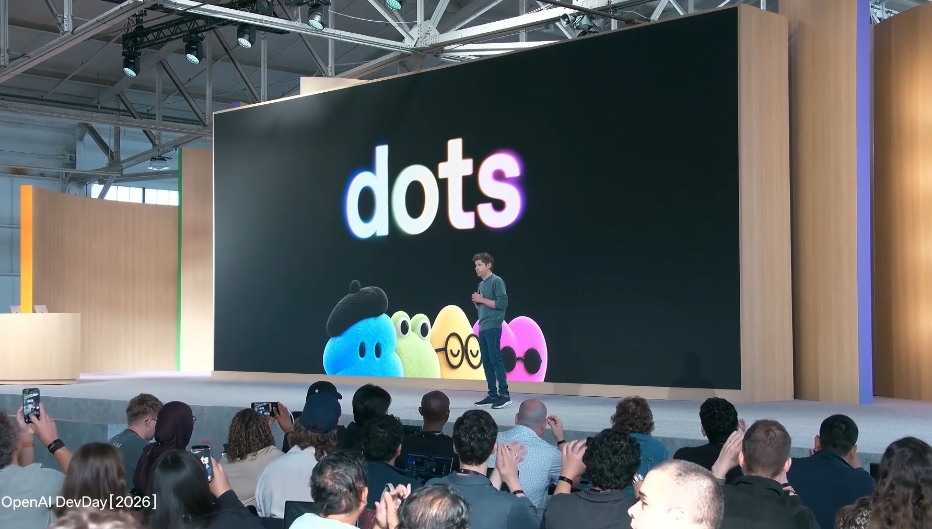
OpenAI launched Dots — agents on GPT-6 Astra, each running on its own cloud computer and connecting to 4,000+…

OpenAI released Dots, an always-on agent running autonomously in the cloud on GPT-6 Astra, connecting to over…

OpenAI announced dots, an always-on agent running GPT-6 Astra with its own cloud computer and browser, able to…