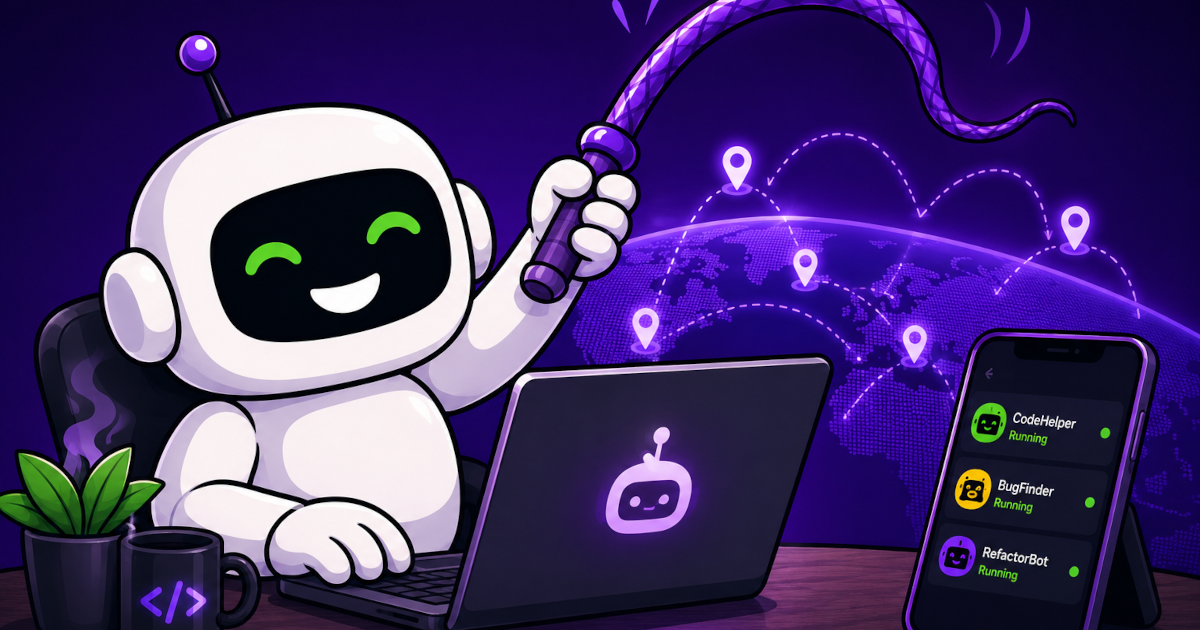
WhipDesk is an open-source, end-to-end encrypted remote access tool that lets developers control their entire dev machine and AI coding agents from a phone. It is designed mobile-first with features like scheduled prompts, agent alerts, and a personal prompt library (Whipository), and works free on local networks; remote access from anywhere requires a WhipDesk.com account and relies on community donations.
Summaries like this, in your inbox every morning.
Sign up free →What happened
WhipDesk, an open-source remote access tool, lets developers monitor and control their entire dev machines—including AI coding agents—directly from a mobile browser. Both the agent (installed on the dev machine) and the controller (running in the browser) are open source, with end-to-end encrypted connections.
Why it matters
Developers using AI agents like Claude Code, Copilot, or Cursor can now manage, test, and review code changes from anywhere without being tied to their desk. The tool is purpose-built for phones with mobile-first design (unlike general tools like TeamViewer or RustDesk), and offers agent-specific features such as scheduled prompts that fire when session limits reset and automatic alerts when agents are stuck or crash.
What to watch
WhipDesk is free for local network use (no cloud dependency); connecting from outside your network uses WhipDesk.com for device discovery, which relies on optional donations to cover relay costs. Installation is available via npm, Homebrew (macOS), winget (Windows), or Scoop (Linux), and setup takes seconds via QR code scanning.
WhipDesk is a new open-source remote access tool designed specifically for developers who run AI coding agents on their machines and need to monitor or control them from a mobile device. The agent runs on the dev machine much like a traditional remote access app—capturing the screen, accepting mouse and keyboard input, and serving a web controller that loads in a browser. The controller that runs on the user's phone is also open source, and the connection between them is end-to-end encrypted using WebRTC.
The tool distinguishes itself from general-purpose remote access solutions in several ways. Unlike TeamViewer or RustDesk, WhipDesk is built mobile-first, with a landscape mode, full-screen viewing, and touch-native controls optimized for reading code on small screens. It includes features purpose-built for AI agent monitoring: Auto-Whips detects when Claude Code, Codex, Gemini CLI, Aider, GitHub Copilot CLI, opencode, Cursor Agent, or Amp agents are idle, blocked, or crashed and sends notifications with zero configuration. Scheduled prompts allow developers to queue messages like "you hit the session limit, resume" for 2 AM when a session resets, waking the agent to finish work while the developer sleeps. The Whipository is a personal prompt library for saving frequently-typed instructions, and LashStash lets users record and replay click-type-Enter sequences for desktop automation.
Security is central to the design. On local networks, connections are direct peer-to-peer over WebRTC with DTLS encryption and no intermediary. When connecting from outside a local network, WhipDesk.com performs device discovery and signaling—the only job an external service has—but the session itself remains end-to-end encrypted. A PIN is required before the first screen frame is sent; the agent stores only a salted, stretched key, and the controller computes a one-time response in memory, so the PIN never crosses the wire. Users can verify builds via GitHub Actions with published checksums and build provenance; macOS builds are signed with a Developer ID and notarized by Apple, though Windows builds are not yet code-signed.
Installation is straightforward. On macOS, users can install via npm, Homebrew, or a signed .pkg; on Windows, via npm, PowerShell, winget, or Scoop; on Linux, via npm or curl. After installation and setting a PIN, users scan a QR code from their phone on the same Wi-Fi network to connect immediately, or sign in to WhipDesk.com with their email to connect from anywhere in the world. LAN connections require no account or hosted service; remote connections incur relay costs, which the project asks users to support via optional donations. The agent contains no analytics and sends only an unprompted update check (version and OS platform) that can be disabled via configuration.
WhipDesk addresses a specific gap in the developer toolkit: the need to monitor and interact with AI coding agents from mobile devices. While remote access tools like TeamViewer and RustDesk exist, they were designed for general-purpose desktop access and do not account for the mobile-first workflow or agent-specific patterns that developers now rely on. The comparison table in the product documentation shows that WhipDesk is the only tool offering full desktop control, agent alerts, and scheduled prompts in a mobile-optimized interface.
The architecture reflects a security-first approach. All components are open source, allowing developers to audit the code or run security reviews with AI agents. Connections default to direct peer-to-peer over WebRTC on local networks (encrypted by the protocol itself) and fall back to an encrypted relay only when necessary, ensuring that the hosted service never sees sensitive data like screen contents or PINs. This design means LAN usage carries no cost and requires no account, aligning with the project's philosophy of providing free local access while requesting donations to cover the cost of remote relay services.
The feature set is tailored to the rhythms of AI-driven development: scheduled prompts accommodate session limit resets (a common friction point with Claude), auto-detection of agent states (idle, blocked, crashed) eliminates manual monitoring, and the Whipository and LashStash tools streamline repetitive instructions and UI automation. This suggests the tool was built by developers who experienced these pain points firsthand and have optimized for real workflows rather than generic use cases.
AI-summarized, only the topics you pick — one digest a day via Email, Slack, or Discord.
Free · takes 30 seconds · unsubscribe anytime
No comments yet. Be the first to share your thoughts!
Log in to join the discussion
Get curated AI news from 200+ sources delivered daily to your inbox. Free to use.
Get Started FreeFree · takes 30 seconds · unsubscribe anytime
