What happened
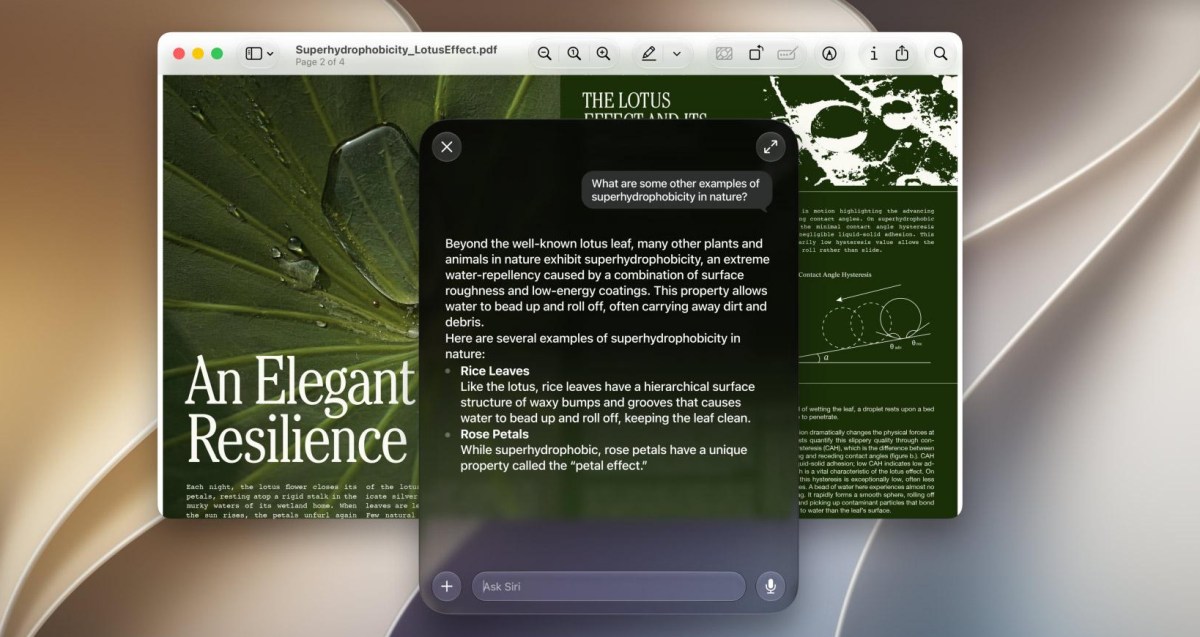
RemoveMacAI, an open-source command line tool spotted by MacRumors, turns off Siri, Writing Tools, Genmoji, Image Playground, the ChatGPT extension and all the summaries, then deletes the on-disk AI models and blocks re-downloads.
Why it matters
The tool offers one command instead of hunting roughly a dozen separate settings, and its developer claims the changes persist across updates while Dictation still works.
What to watch
The exact space freed hinges on the model set, since the developer says “about 12GB” but one MacBook Air listed 35.05GB; a “removemacai revert” command can undo everything.
WHO IT HITSMac users who want to reclaim disk space or fully disable AI features now have a single-command option, and IT admins managing fleets of Macs may find it useful for enforcing uniform AI settings.
Summaries like this, in your inbox every morning.
Apple used to provide a single Settings toggle to disable Apple Intelligence, but that toggle was removed in macOS 27. Since then, the features are split across multiple settings panes, and even when everything is off, the foundation models remain on disk, taking up space.
The RemoveMacAI developer wrote on Reddit that the tool essentially does what the old toggle did: it turns off Siri, Writing Tools, Genmoji, Image Playground, the ChatGPT extension and summaries, deletes the models, and stops macOS from downloading them again. The developer claims the changes persist across updates and that Dictation will still work, with a revert command available if users change their minds.
The actual storage freed may vary. The developer cites “about 12GB,” but some users in the Reddit thread noted it could be more, and one MacBook Air showed Apple Intelligence at 35.05GB, suggesting the tool's benefit hinges on how many models are present. It remains to be seen whether future macOS updates change how these models are managed or if the block on re-downloads holds.
Pick your industry and the AI tools you use, and get news related to your work every day.
Free · 30 seconds with Google · unsubscribe anytimeWhat is AIToday? →
Ask AI anything about this article. The AI reads this article, earlier AIToday articles, and Wikipedia, and cites its sources. Q&As are published on this page for other readers too.
The Technology Innovation Institute released Falcon-Emirati-7B, a 7B-parameter model built on Falcon-H1-Arabic…

Reflection announced Beam, a 501B-parameter open-weight model with 23B active parameters, claiming parity with…
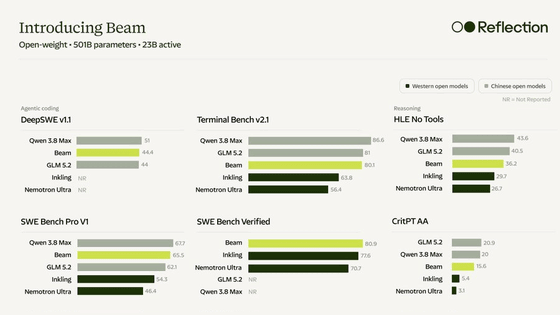
Reflection, a New York AI company with a $25 billion valuation, launched Beam, its first open model

A developer released chunkr, a Rust chunking library supporting Character, Recursive, Markdown header, Late an…

Aleph Alpha released Kolibri, a German-English model with 78 billion parameters, about three billion active pe…
GitHub released ReviewBench, a benchmark of 219 public pull requests across 19 languages, built by analyzing 1…