What happened
GitHub Copilot app lets you run multiple AI agent sessions at the same time on the same project, each in its own Git worktree, so they don't interfere with each other.
Why it matters
This means you can start several tasks at once instead of waiting for one to finish, like doing multiple loads of laundry at the laundromat. You spend your time reviewing results, not babysitting the agents.
What to watch
The real test is whether parallel sessions scale beyond small tasks—the value hinges on how much coordination overhead appears as you add more agents. Watch how the session view handles three or more concurrent worktrees without losing context.
Summaries like this, in your inbox every morning.
The GitHub Copilot app introduces a way to manage multiple AI agent sessions on the same project, which is a shift from the usual one-task-at-a-time workflow. By isolating each agent session in its own Git worktree, the app prevents conflicts and allows parallel execution, similar to running multiple loads of laundry in separate machines. This feature directly addresses the bottleneck of waiting for one task to complete before starting another, potentially boosting developer productivity by letting them delegate several tasks to Copilot simultaneously.
For non-technical business readers, the significance lies in the efficiency gains: tasks like adding a feature, performing an accessibility review, and running tests can now all be initiated at once, and the developer can review results as they come in rather than monitoring progress. The example repository, tailspin-toys, illustrates a typical multi-step project where this parallelism could save time. While the post is introductory and doesn't provide performance metrics, the practical implication is that teams can get more done in less time without the overhead of constant context switching.
GitHub positions this as a low-stakes way to experiment, suggesting users start with two small tasks to feel out the workflow. However, the post does not detail the pricing or availability of the GitHub Copilot app beyond its existence, nor does it discuss potential limitations of running many sessions concurrently. Future posts in the "GitHub Copilot app for Beginners" series may explore these aspects.
Pick your industry and the AI tools you use, and get news related to your work every day.
Free · 30 seconds with Google · unsubscribe anytimeWhat is AIToday? →
Ask AI anything about this article. The AI reads this article, earlier AIToday articles, and Wikipedia, and cites its sources. Q&As are published on this page for other readers too.
DeepSeek raised around $15 billion in one of China's biggest-ever financing rounds, after twice increasing its…
Schneider Electric, Nvidia and HPE formed a strategic collaboration to launch Industrial AI Agents at the Edge…

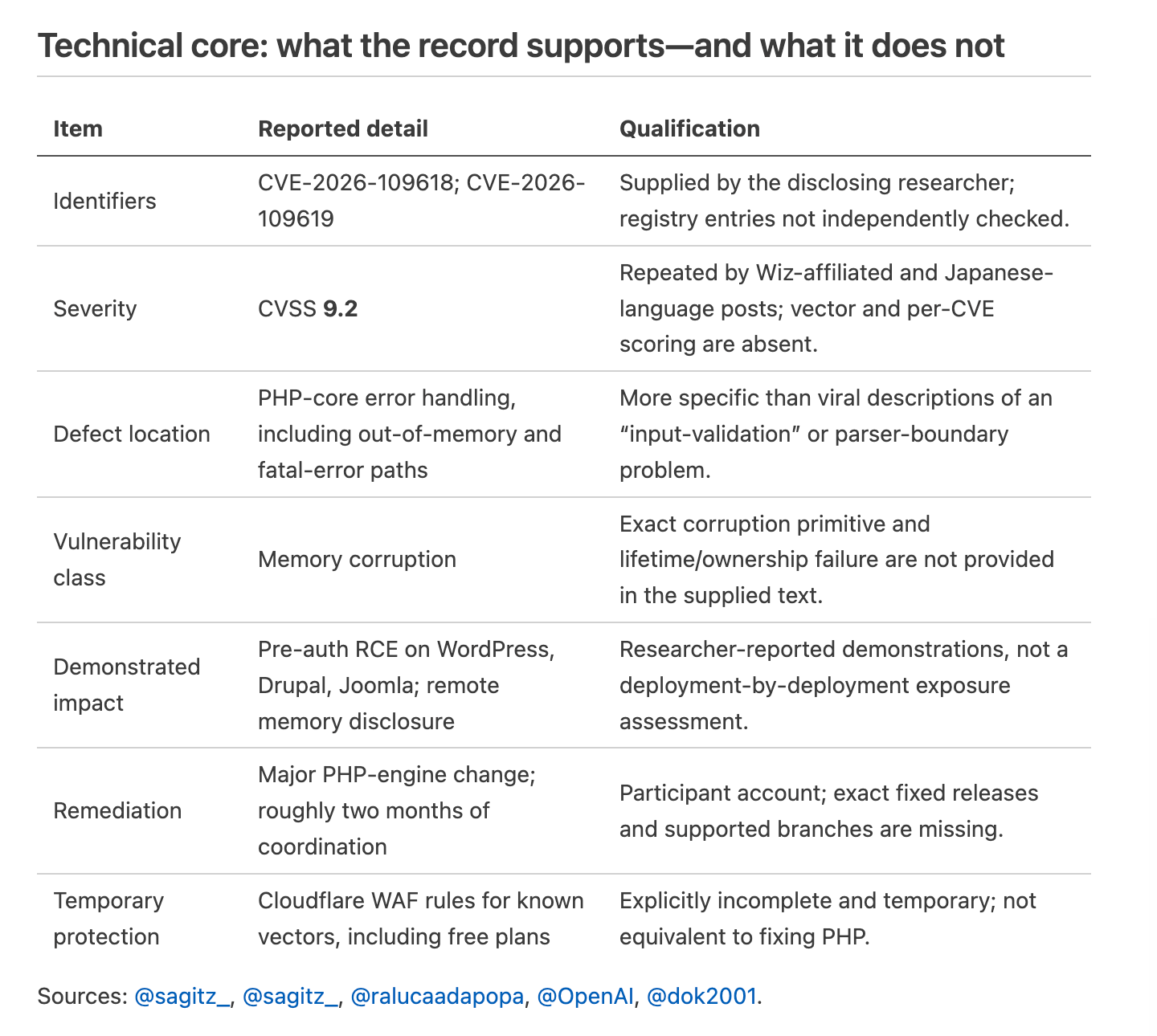
OpenAI says Calif researchers using GPT 5.6 Sol under its "Patch the Planet" project found the PHP2Shell flaws…
Anthropic released Claude Duet, built on Claude Opus 5.5

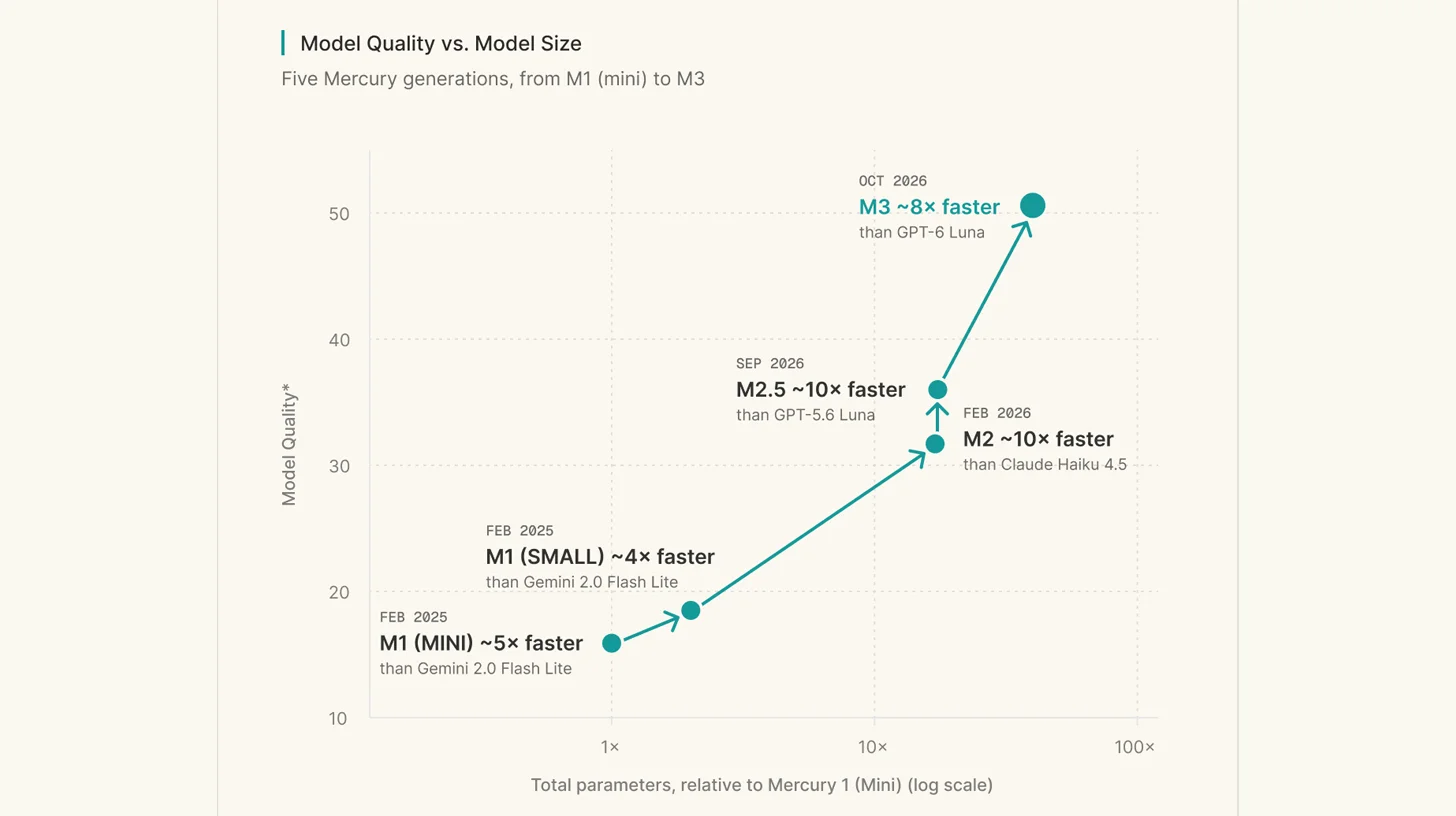
Inception launched Mercury 3 on October 19, a diffusion model it says generates 1,068 output tokens per second…
Anthropic reported that an internal version of Claude generated 318,484 candidates over a 64-hour run and sele…