What happened
Using Ollama 0.40.4 at http://127.0.0.1:11434, the author called /api/version, /api/tags, /api/generate, and OpenAI-compatible /v1 endpoints, and saw a first request take about 30 seconds.
Why it matters
The delay comes from loading the model into memory, and the author notes that subsequent requests become much faster, so short timeouts on the client side can cause failures.
Summaries like this, in your inbox every morning.
Ollama is known as a convenient way to run local large language models, offering both a command-line interface and a graphical interface. This article focuses on its HTTP API, showing that no additional libraries are needed when using PowerShell's built-in Invoke-RestMethod. The author tested both the native /api endpoints and the OpenAI-compatible /v1 endpoints, confirming that the latter accepts familiar field names such as max_tokens and messages[].role. That compatibility could let developers reuse existing OpenAI client code when building tools for Ollama.
The test environment was Windows 11 with PowerShell 5.1 and Ollama 0.40.4, using the small qwen2.5:0.5b model. The author measured a first request duration of about 30 seconds, which includes the time to load the model into memory. This is a practical detail: even a small model incurs a noticeable startup cost, so client-side timeouts should not be set too aggressively.
Beyond timing, several pitfalls were encountered during the test: specifying charset=utf-8 in the Content-Type header to avoid encoding issues, using ConvertTo-Json with a sufficient -Depth value for nested arrays, and explicitly setting stream = $false when a single JSON response is desired instead of streaming. These are concrete, reproducible observations rather than general advice, and they illustrate the kind of adjustments needed when scripting against Ollama's API from PowerShell.
Pick your industry and the AI tools you use, and get news related to your work every day.
Free · 30 seconds with Google · unsubscribe anytimeWhat is AIToday? →
Ask AI anything about this article. The AI reads this article, earlier AIToday articles, and Wikipedia, and cites its sources. Q&As are published on this page for other readers too.
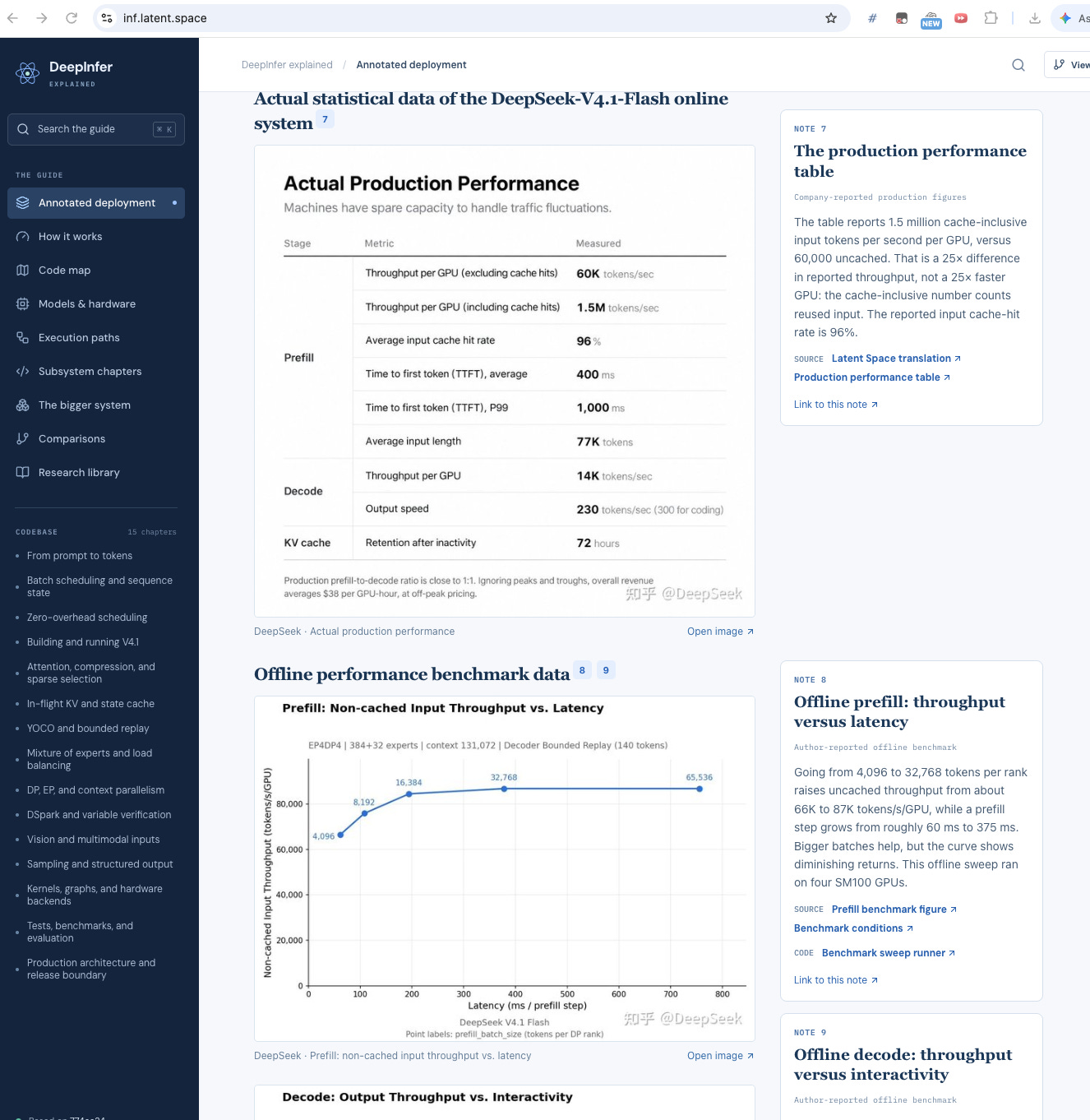
DeepSeek released DeepInfer, the inference engine behind V4.1-Flash, with production figures of 155 trillion t…
Tenex cofounder Alex Lieberman said at AIE New York that the firm has grown to 75 people, with 50% of customer…

OpenAI acquired Orchestra Bio on October 20 and is integrating its team and drug-development coordination tech…
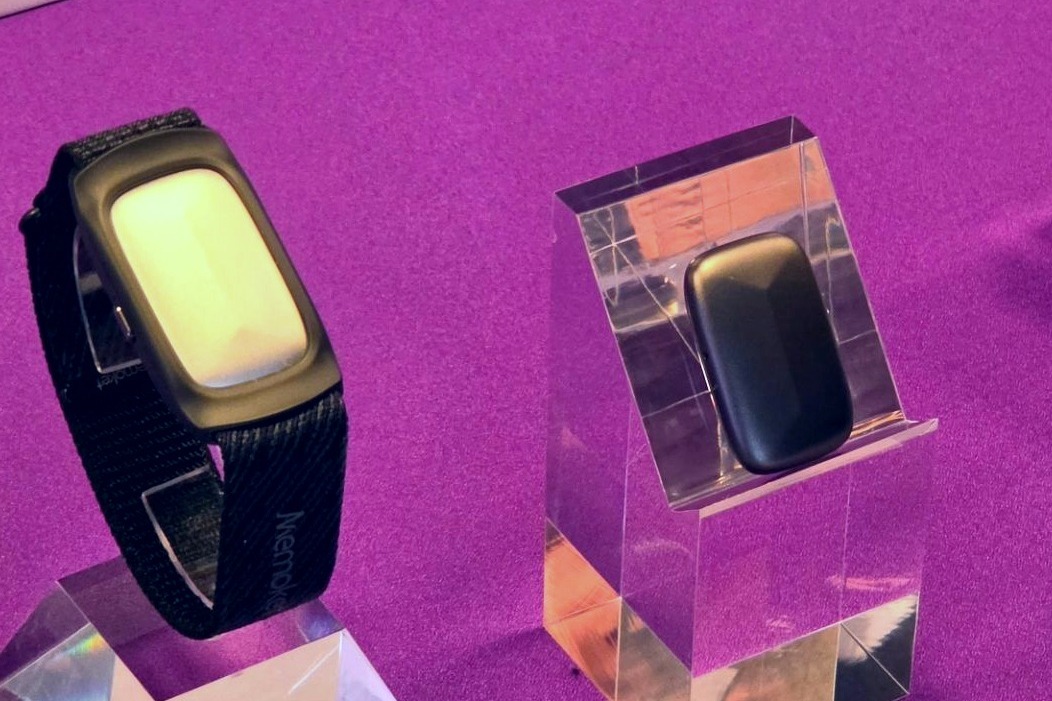
Memoket began selling the Memoket Gem on the 21st for 31,980 yen — an 11g AI recorder that mounts on an Apple…
A preliminary experiment ran 100 copies of Qwen/Qwen3-1.7B, each with its own LoRA (small add-on weights actin…

Google announced TorchTPU, built with the PyTorch team, which runs existing PyTorch workloads on TPUs with min…