
What happened
Clicking the Copilot button at the top right of Edge opens a sidebar for AI chat, and a menu next to it offers options such as explaining the current page and comparing several open pages.
Why it matters
The assistant is built into the browser rather than a separate app, so page explanations and cross-page comparisons sit in the same window as the content being read.
Summaries like this, every morning.
Edge's AI integration is presented as more than a chat box. The Copilot button sits in the window's top-right corner, and the sidebar it opens is tied to what the browser is showing, so it can explain the page on display or compare several pages open at the same time. The menu next to the button is where those operations are chosen.
Beyond conversation, the integration reaches the browser's own surfaces: Copilot can be configured as the 'new tab' page, putting the assistant where a blank start page would normally be.
The body also notes that Copilot is being developed to browse websites automatically and carry out user instructions, which would extend the assistant from explaining what is on screen to acting on the web on the user's behalf. That capability is described as still in development, not yet available.
Pick your industry and the AI tools you use, and get news related to your work every day.
Free · 30 seconds with Google · unsubscribe anytimeWhat is AIToday? →
Ask AI anything about this article. The AI reads this article, earlier AIToday articles, and Wikipedia, and cites its sources. Q&As are published on this page for other readers too.
OpenAI announced GPT-6 Cyber on November 5, 2026, a model built for cybersecurity research that finds vulnerab…
Shimmochi runs a Claude Code "commander" agent that rebuilds his task list from GitHub and Notion, decides the…

Mikami of Canly's store-acquisition team used aidlc-workflows' bugfix scope on a Google Business Profile CSV b…

Hitachi Energy is expanding its partnership with Celonis, the process-intelligence leader, to scale AI use acr…

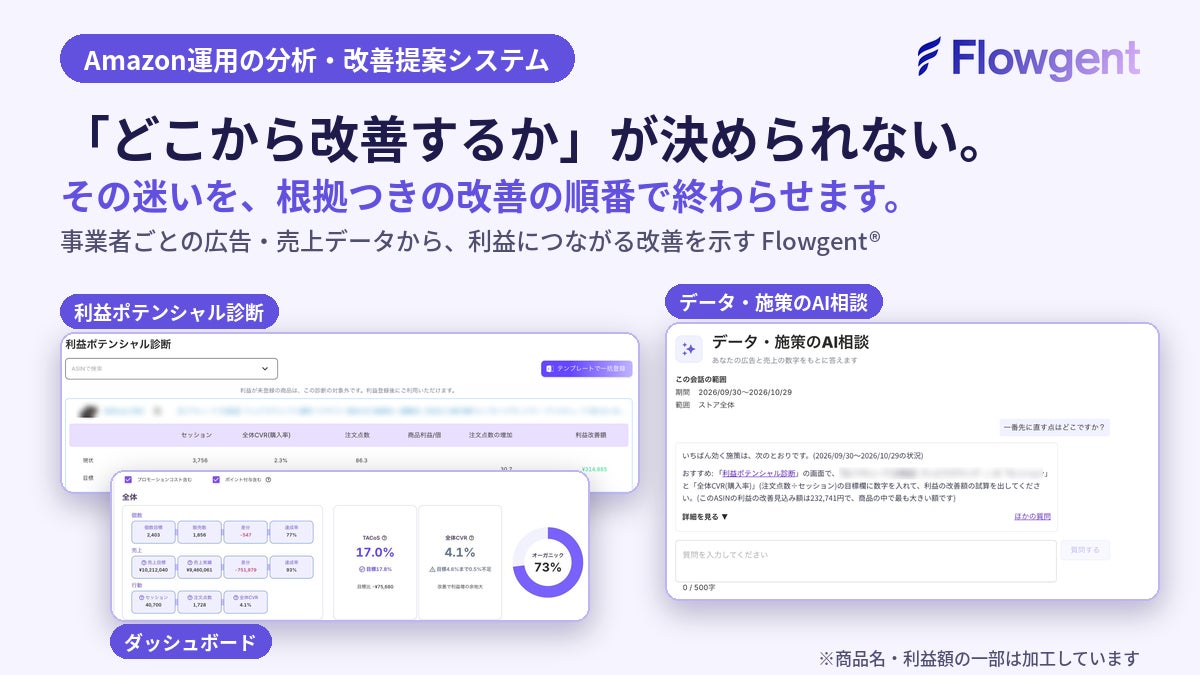
Spesia added an "AI consultation on data and measures" chat to Flowgent, its Amazon operations analysis system
In Branding Works' October 2026 survey of ChatGPT and Gemini answers, 辻・本郷税理士法人 appeared in 50% of responses…